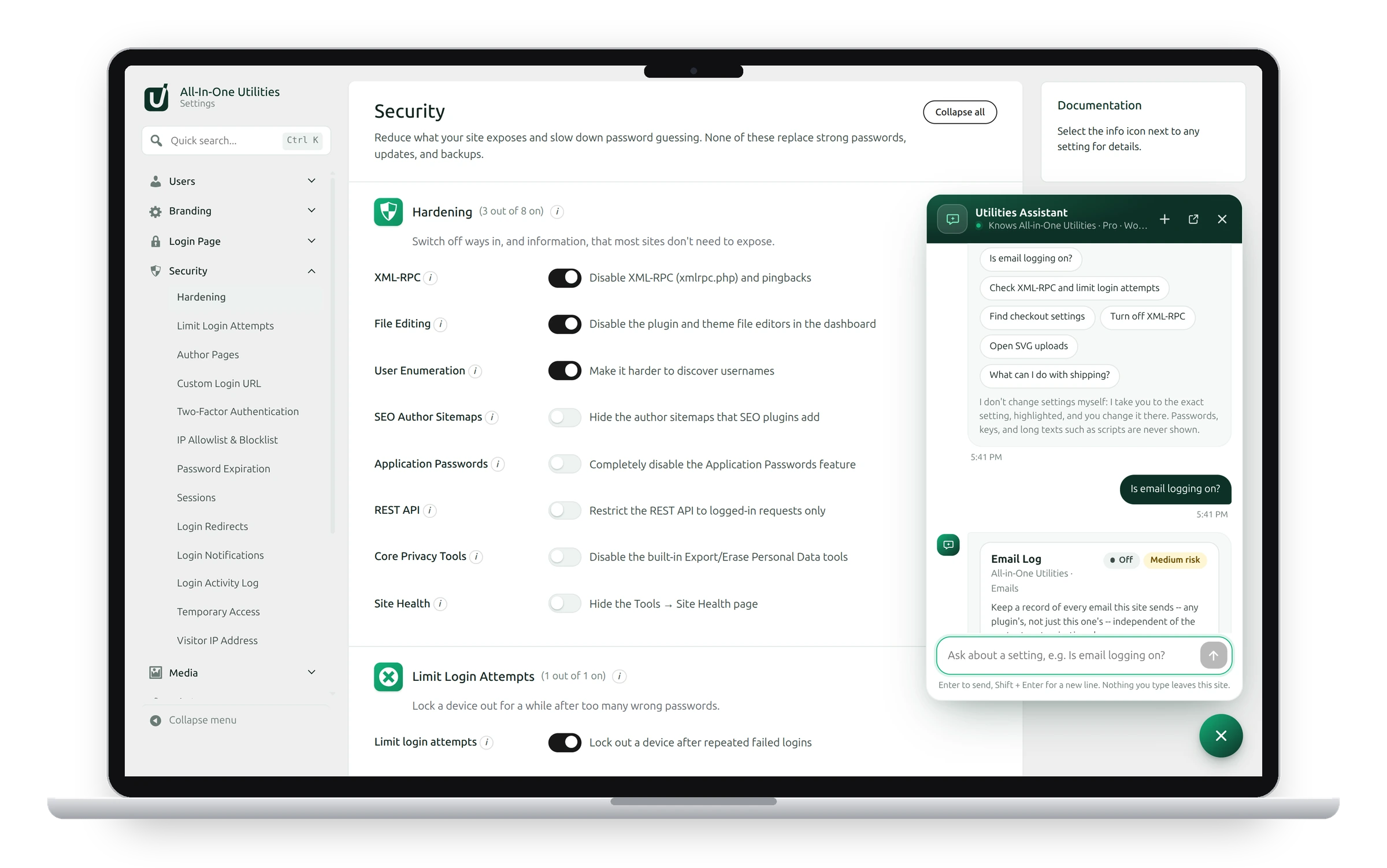
The chat button in the bottom-right corner of every admin screen opens Chat in a panel, so you can ask a question without leaving the page you’re on.
Use the panel
- Click the round chat button to open the panel. Click it again, click × or press Escape to close it.
- + starts a new chat.
- The full screen icon continues the same conversation on the Chat screen.
The conversation is the same as on the Chat screen: what you asked in the panel is still there on the Chat screen, and on the next admin page you open.
Turn the button off

- Go to All-In-One Utilities → Settings → Admin → Chat Button.
- Switch off Show a chat button in the bottom-right corner of the admin.
- Save your changes.
Chat itself stays available at All-In-One Utilities → Chat.
See also Asking Chat about your settings and Installing All-in-One Utilities Chat.
Get the add-on: compare the plans for All-in-One Utilities Chat, then pick the one that fits your sites.