Safe Updates saves a ZIP backup of a plugin or theme right before WordPress updates it. If the update causes problems, you can restore the previous version in one click from Rollback.
Open it at All-In-One Utilities → Tools → Safe Updates.
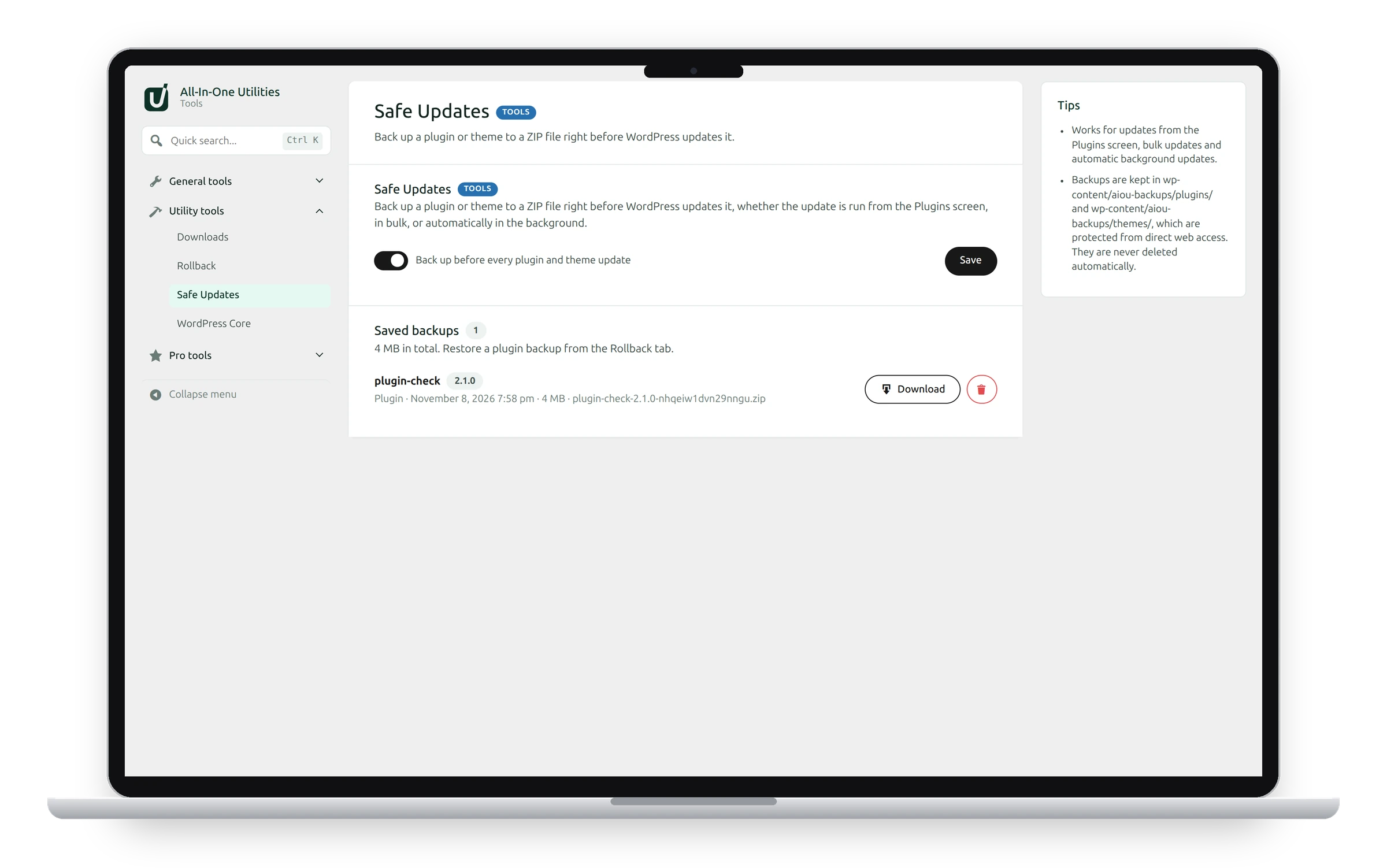
Turn it on
- Switch on Back up before every plugin and theme update.
- Click Save.
From then on, a backup is made before every update: from the Plugins or Themes screen, from Dashboard → Updates, in bulk, and for automatic background updates.
Saved backups
The Saved backups list shows each backup’s plugin or theme, its version, when it was made and its size.
- Download saves the backup ZIP to your computer.
- The delete button removes the backup from the server.
- To restore a plugin backup, use the Rollback tab.
Where backups are kept
In wp-content/aiou-backups/plugins/ and wp-content/aiou-backups/themes/. These folders are protected from direct access over the web.
Backups are never deleted automatically
Each backup takes disk space. Delete the ones you no longer need from time to time.
See also Roll back a plugin and Download plugins and themes.
Get the add-on: compare the plans for All-in-One Utilities Tools, then pick the one that fits your sites.