Require Featured Image stops a post being published until it has a featured image, and optionally one at least a certain size. It’s the easy way to keep blog lists, archives and social previews consistent when several people publish.
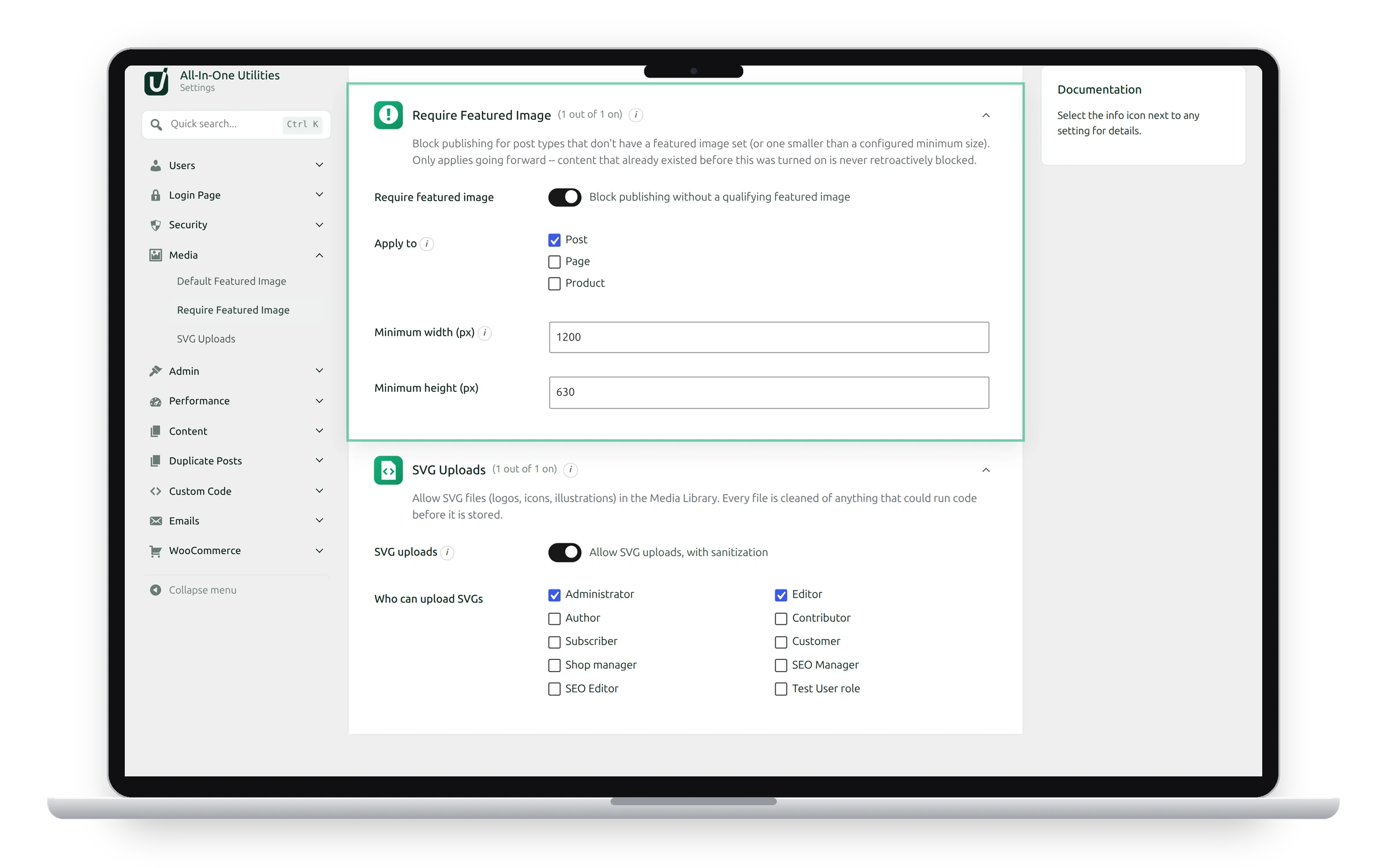
Settings
- Require featured image: blocks publishing without a qualifying featured image.
- Apply to: the content types it applies to. Posts are selected by default.
- Minimum width (px) and Minimum height (px): the smallest size accepted. Leave both at 0 to accept any size; a featured image is still required either way.
What authors see
When someone clicks Publish without a qualifying featured image, publishing stops, the post stays a draft, and a message explains that a featured image is required, with the minimum size if you set one. Once they add a suitable image, they can publish as usual.
Existing content isn't affected
Only posts created after you switch this on are checked. Older posts, published or not, never get blocked, so turning it on can’t break content that’s already there.
Imports and automation
Imports (such as the WooCommerce product importer), WP-CLI and scheduled tasks are never blocked: there’s nobody there to show the message to.
Pair it with Default Featured Image
If some posts genuinely don’t need an image, use Default Featured Image for them instead of requiring one.
See also Default Featured Image and SVG Uploads.
Get the plugin: All-in-One Utilities is free, so you can add it to any site. Then, when you need more, its premium add-ons add extra features.