The WordPress Dashboard fills up quickly: news, events, plugin promotions, setup reminders. Each user can hide widgets for themselves under Screen Options. This section hides them for everyone at once, which is useful for client sites and shared teams.
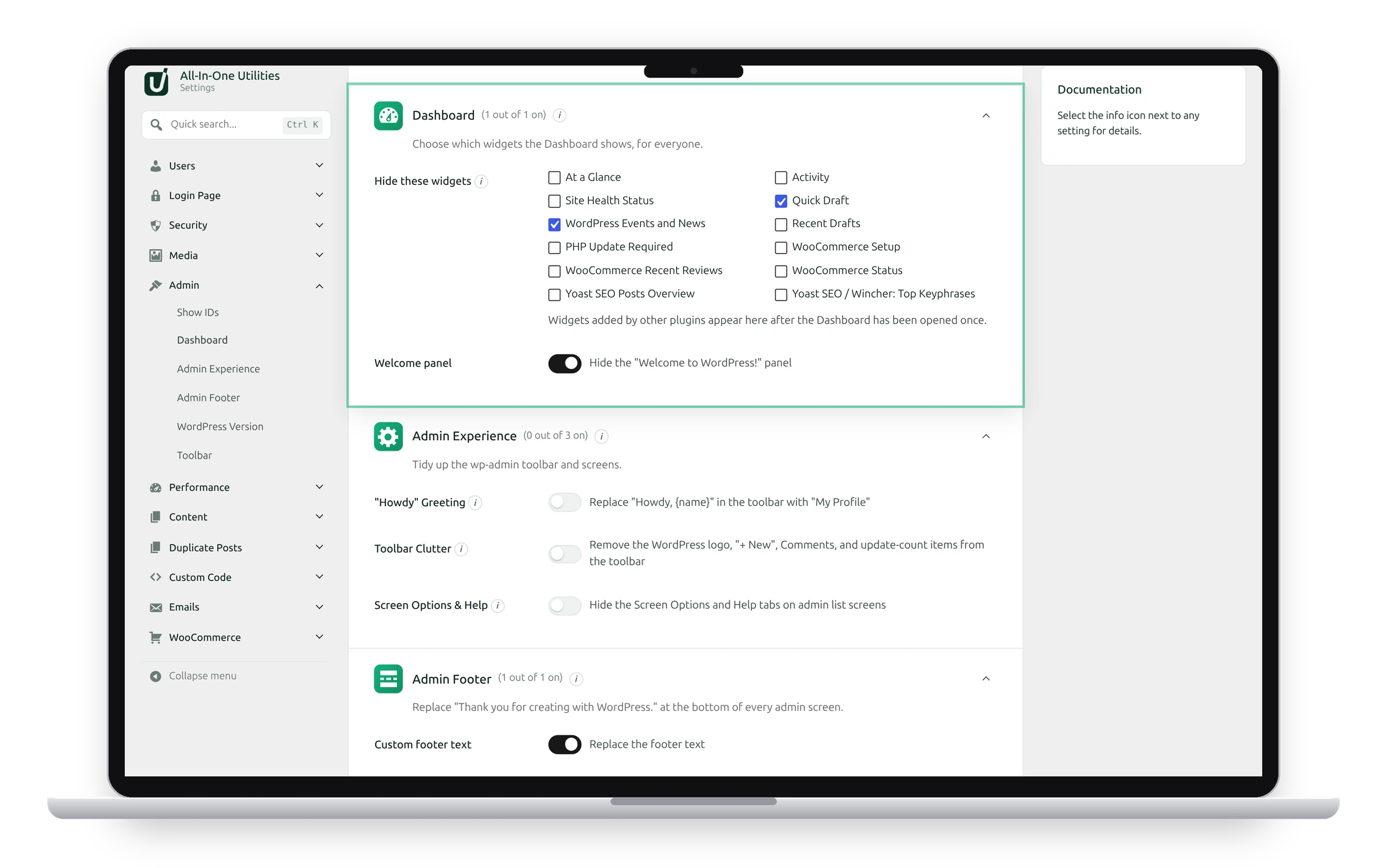
Settings
- Hide these widgets: tick the Dashboard widgets to remove for every user. Hidden widgets also disappear from Screen Options, so users can’t bring them back.
- Welcome panel: hides the “Welcome to WordPress!” panel at the top of the Dashboard.
Hide widgets
- Tick the widgets you want to hide, such as WordPress Events and News and Quick Draft.
- Click Save changes, then open the Dashboard.
Widgets from other plugins
Plugins usually add their widgets only when the Dashboard is opened. After installing a plugin, open the Dashboard once, then come back here: its widgets will be in the list.
To show a widget again, untick it and save.
See also Admin Footer and Admin Experience.
Get the plugin: All-in-One Utilities is free, so you can add it to any site. Then, when you need more, its premium add-ons add extra features.