Not sure where to start, or short on time? WordTenance can install and configure All-in-One Utilities and its add-ons for you. Open All-In-One Utilities → Request Setup, tell us what you need, and we’ll reply with an estimate before any work starts.
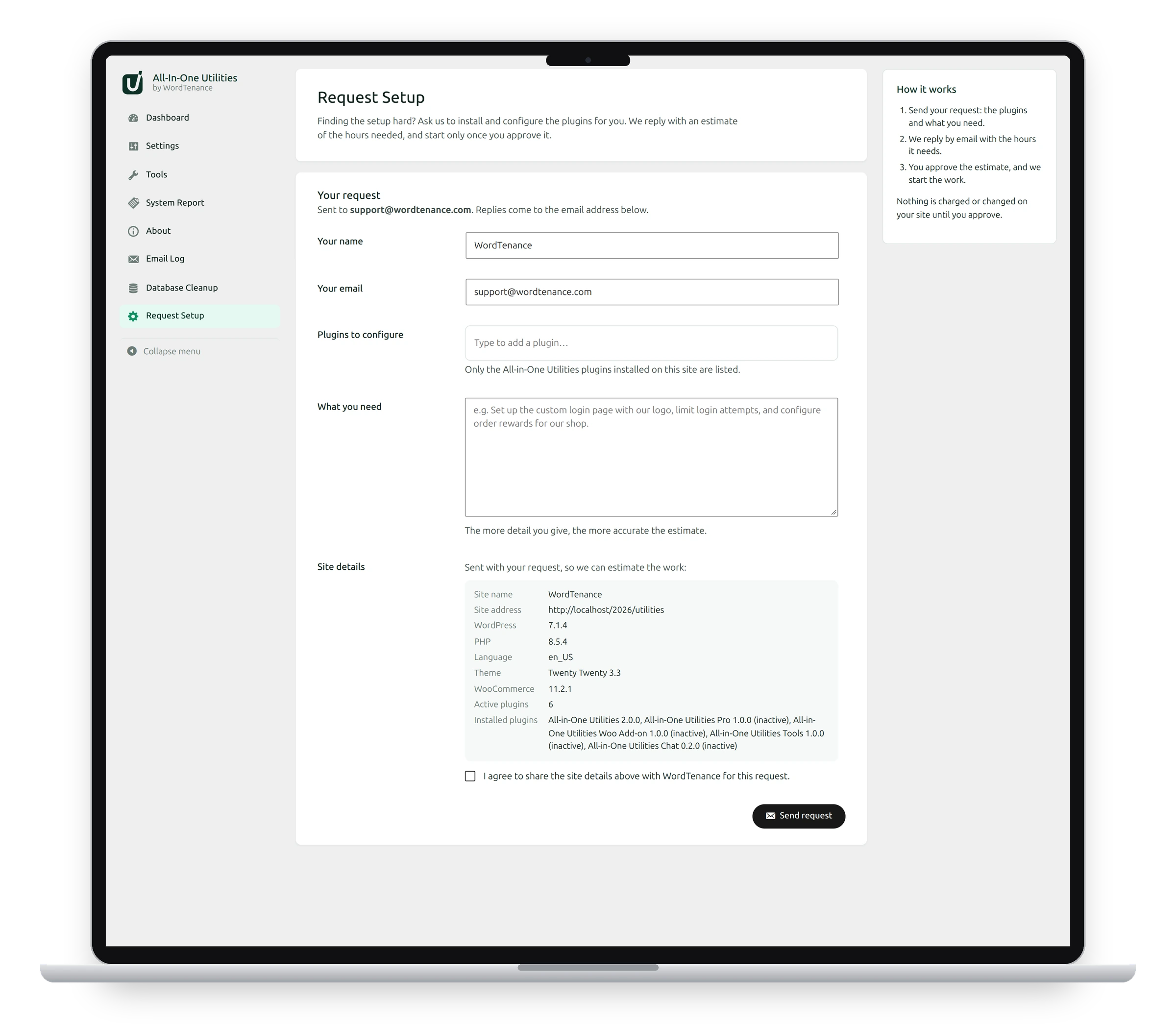
Send a request
- Check Your name and Your email. They’re filled in from your account, and we reply to that email.
- In Plugins to configure, choose the plugins you want configured. Only the All-in-One Utilities plugins installed on this site are listed. Type to filter the list, use the arrow keys, and press Enter to add one.
- In What you need, describe the result you want. The more detail you give, the more accurate the estimate. For example: “Brand the login page with our logo, turn on two-factor login for administrators, and send email through our SMTP server.”
- Read the Site details sent with your request, and tick I agree to share the site details above with WordTenance for this request.
- Click Send request.
What happens next
- We read your request and reply by email with the number of hours the work needs.
- You approve the estimate, or ask us to change it.
- Only then do we start. Nothing is charged or changed on your site until you approve.
What the site details include
Your site’s name and address; your WordPress, PHP and plugin versions; the language; the active theme; whether WooCommerce is active; and how many plugins are installed and active. Never passwords, keys or content.
Can't send it?
If you see “The request could not be sent”, your site may not be able to send email. Check the Email Log, or send the same details to support@wordtenance.com yourself.
See also System Report and support and About and the add-ons.
Get the plugin: All-in-One Utilities is free, so you can add it to any site. Then, when you need more, its premium add-ons add extra features.