Instead of checking for duplicates by hand, let the scan run on a schedule, either just reporting what it finds or moving duplicates to the Trash itself.
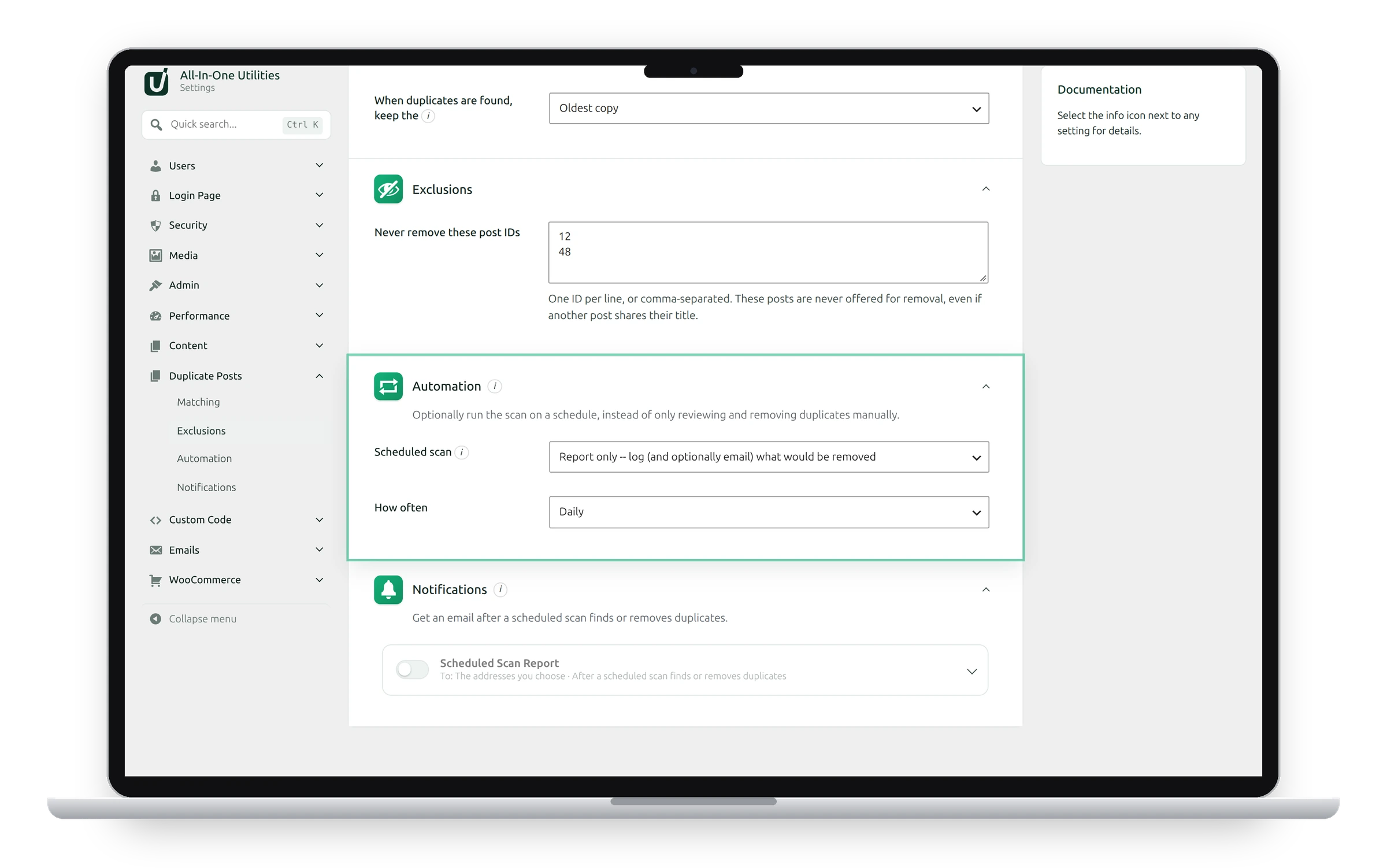
Settings
- Scheduled scan:
- Off: you review and remove duplicates yourself in Tools → Duplicate Posts.
- Report only: the scan logs what it would remove, and can email you a report. Nothing is deleted.
- Automatically move duplicates to Trash: the scan moves the extra copies to the Trash each time it runs.
- How often: Hourly, Twice daily or Daily.
Each run is recorded under Recent activity in Tools → Duplicate Posts. To get an email after each run, switch on the report under Notifications.
Automatic mode doesn't ask first
In automatic mode, duplicates go to the Trash without a review each time. They can be restored from the Trash until it’s emptied. Start with Report only for a few days to check what it would remove.
Scheduled tasks need visitors
WordPress runs scheduled tasks when someone visits the site. On a quiet site, a scan can run a little later than planned.
See also Notifications and Reviewing duplicate posts.
Get the plugin: All-in-One Utilities is free, so you can add it to any site. Then, when you need more, its premium add-ons add extra features.