Advanced Manual Orders makes phone, email and in-person orders quicker, from Orders → Add order.
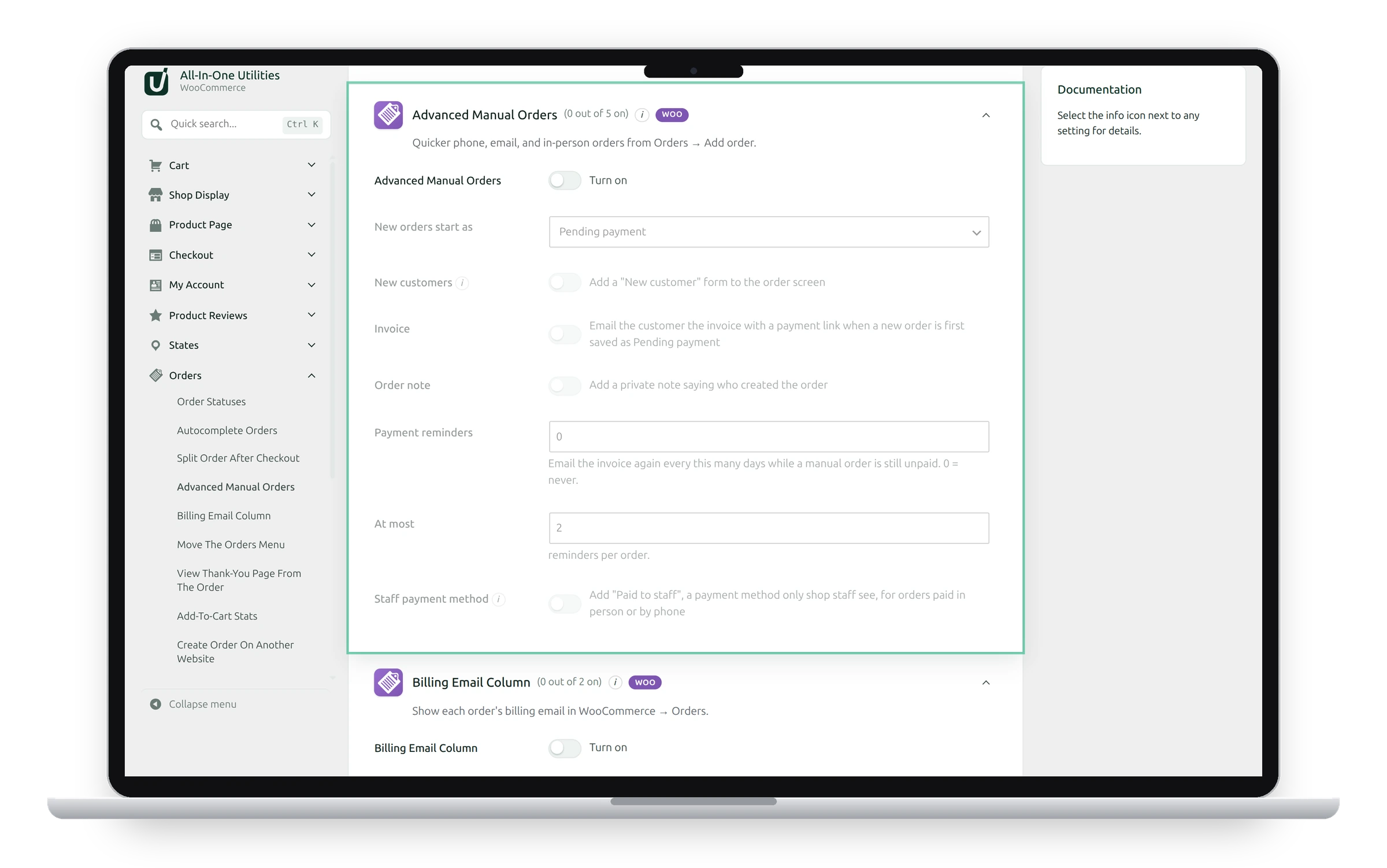
Settings
- New orders start as: the status a new manual order starts in, such as Pending payment.
- New customers: adds a New customer form to the order screen. It creates a customer account from an email address and name, and selects it for the order. Tick Email them their account details to send WooCommerce’s “New account” email.
- Invoice: emails the customer the invoice with a payment link when a new order is first saved as Pending payment.
- Order note: adds a private note saying who created the order.
- Payment reminders: emails the invoice again every this many days while the order is unpaid; 0 means never. At most limits the reminders per order.
- Staff payment method: adds Paid to staff, a payment method only shop staff see, for orders paid in person or by phone.
Take a phone order
- Go to Orders → Add order.
- Pick the customer, or fill in the New customer form.
- Add the products and click Create.
- With Invoice on and the order at Pending payment, the customer gets an email with a link to pay online.
If the customer pays you directly, choose Paid to staff on the order’s Pay for order page to mark it paid. Customers never see this method. Rename it under WooCommerce → Settings → Payments.
See also Orders screen extras and Autocomplete and split orders.
Get the add-on: compare the plans for All-in-One Utilities Woo Add-on, then pick the one that fits your sites.