Vacation Mode tells customers you’re away, and can pause orders until you’re back.
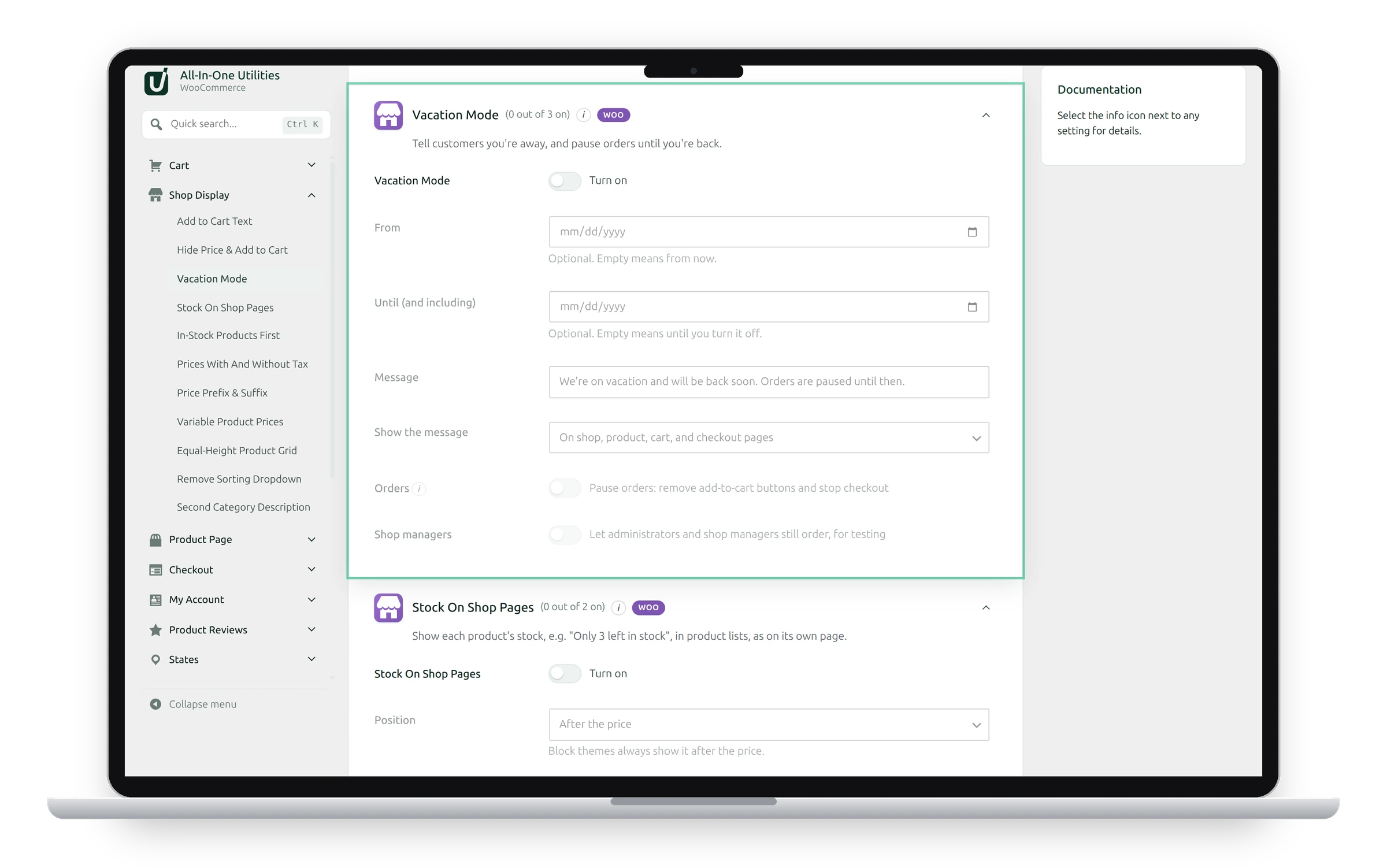
Set it up
- Switch on Vacation Mode.
- Optionally set From and Until (and including). Empty means from now, and until you turn it off.
- Write the Message, such as “We’re on holiday until 2 January. Orders placed now ship on 3 January.”
- Choose where to Show the message: On shop, product, cart, and checkout pages, or On every page.
- Tick Orders to pause orders: add-to-cart buttons are removed and checkout stops.
- Click Save changes.
Customers can still browse. What’s already in a cart stays there for when the shop reopens. Times use the site’s timezone from Settings → General.
Tick Shop managers to let administrators and shop managers still order, for testing.
See also Add to cart text and prices and Shop page layout.
Get the add-on: compare the plans for All-in-One Utilities Woo Add-on, then pick the one that fits your sites.