Two shipping methods priced in bands: by the order’s weight, or by its amount.
Shipping by weight
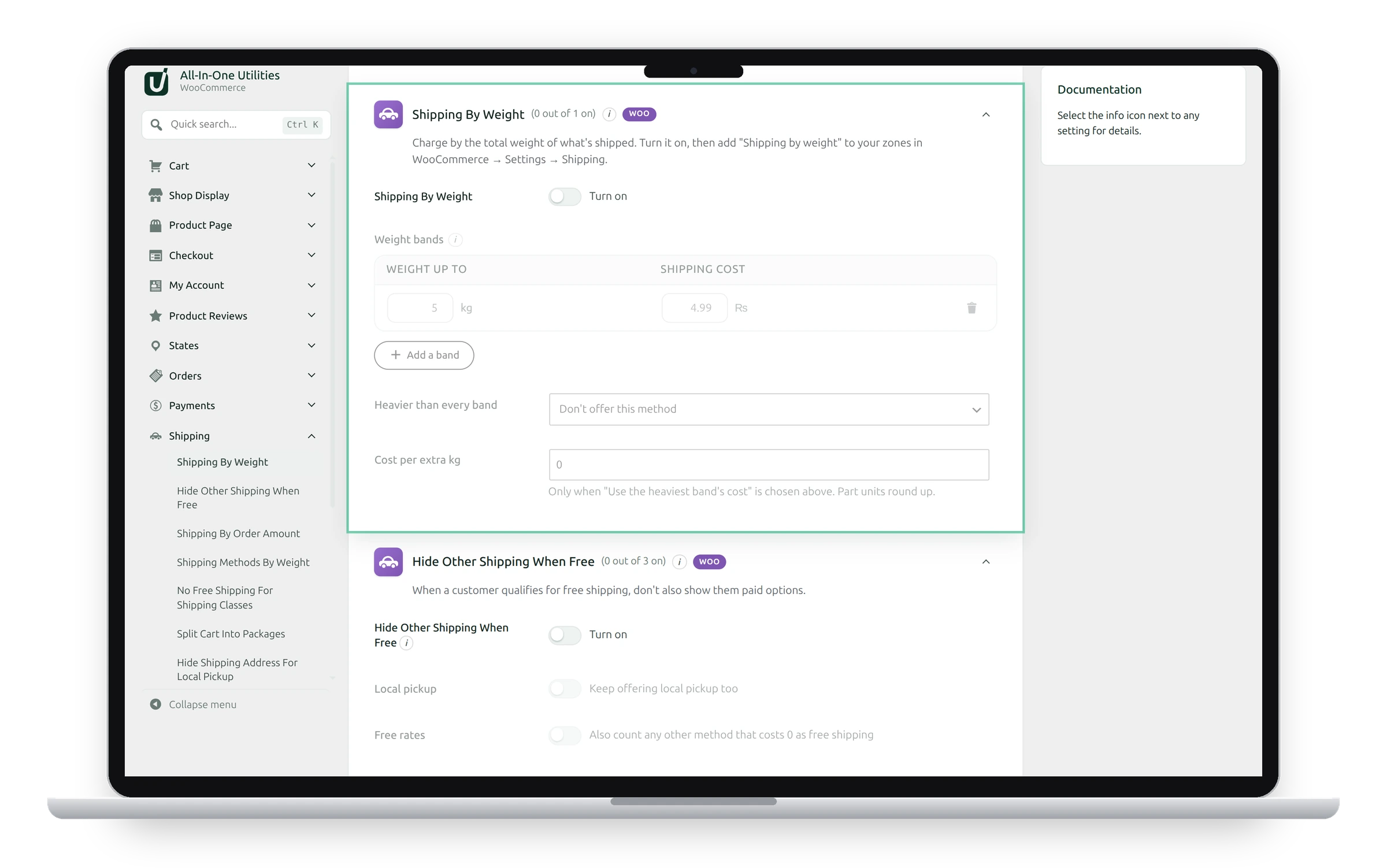
Charge by the total weight of what’s shipped.
- Switch on Shipping by Weight.
- Under Weight bands, add each band: “up to” a weight, and its cost.
- Choose what happens when an order is Heavier than every band: Don’t offer this method, or Use the heaviest band’s cost, plus the cost below for each extra unit, with the Cost per extra kg. Part units round up.
- Click Save changes.
- Add Shipping by weight to your zones in WooCommerce → Settings → Shipping.
The first band the weight fits in sets the cost: with bands “up to 2 → 5” and “up to 10 → 9”, a 3 kg order costs 9. Products without a weight count as 0. In each zone, the method can have its own title, tax status and extra cost on top of the bands.
Shipping by order amount
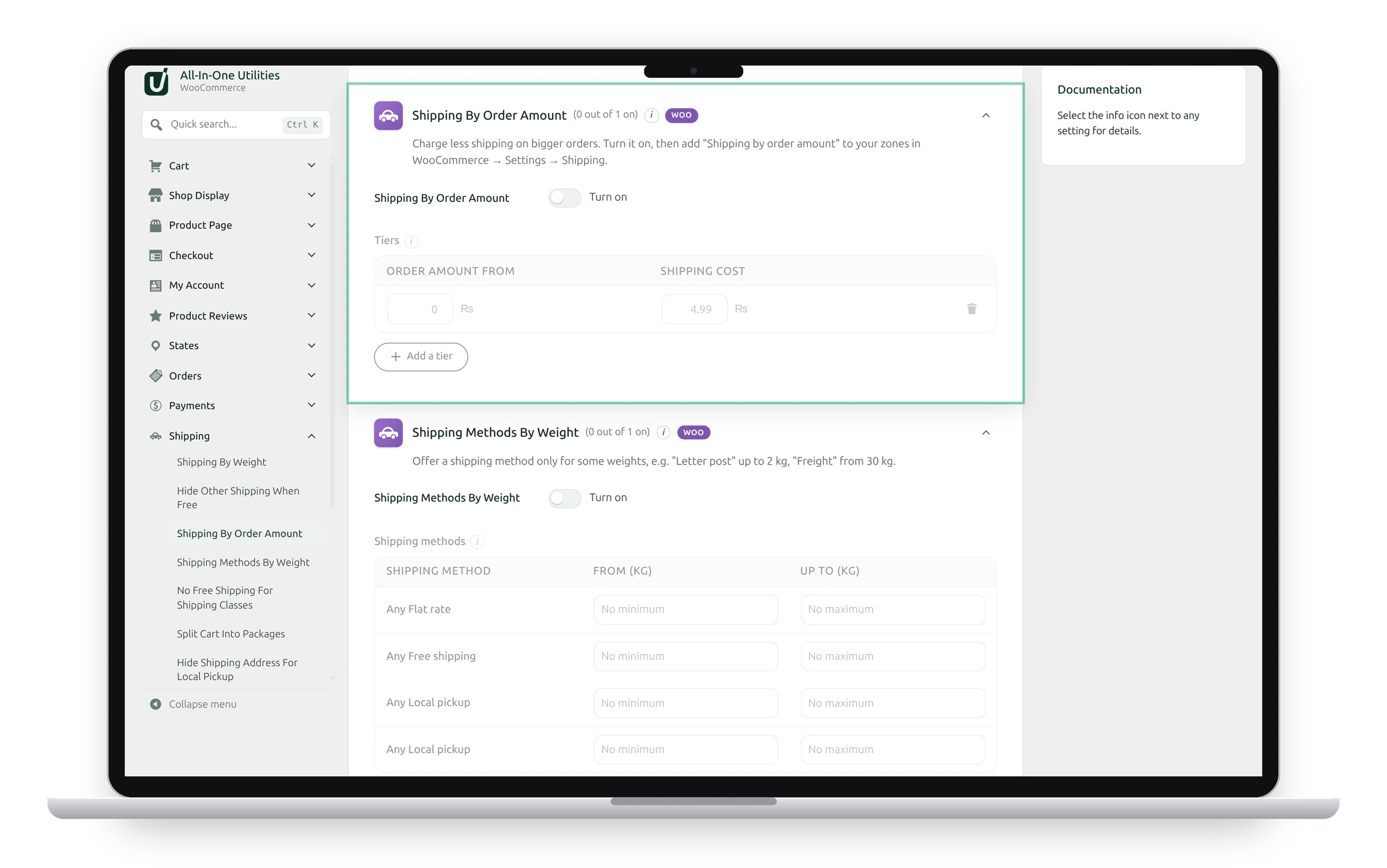
Charge less shipping on bigger orders.
- Switch on Shipping by Order Amount.
- Under Tiers, add each tier: “from” an amount, and its cost.
- Click Save changes, then add Shipping by order amount to your zones.
The highest tier the order reaches sets the cost: with “from 0 → 9.99”, “from 50 → 4.99” and “from 100 → 0”, a 70 order pays 4.99. The amount is the products’ total after discounts, before tax. Orders under every tier don’t get this method.
See also Shipping rules.
Get the add-on: compare the plans for All-in-One Utilities Woo Add-on, then pick the one that fits your sites.