Custom Sorting puts posts, pages or other content in your own order by dragging rows on their list screen.
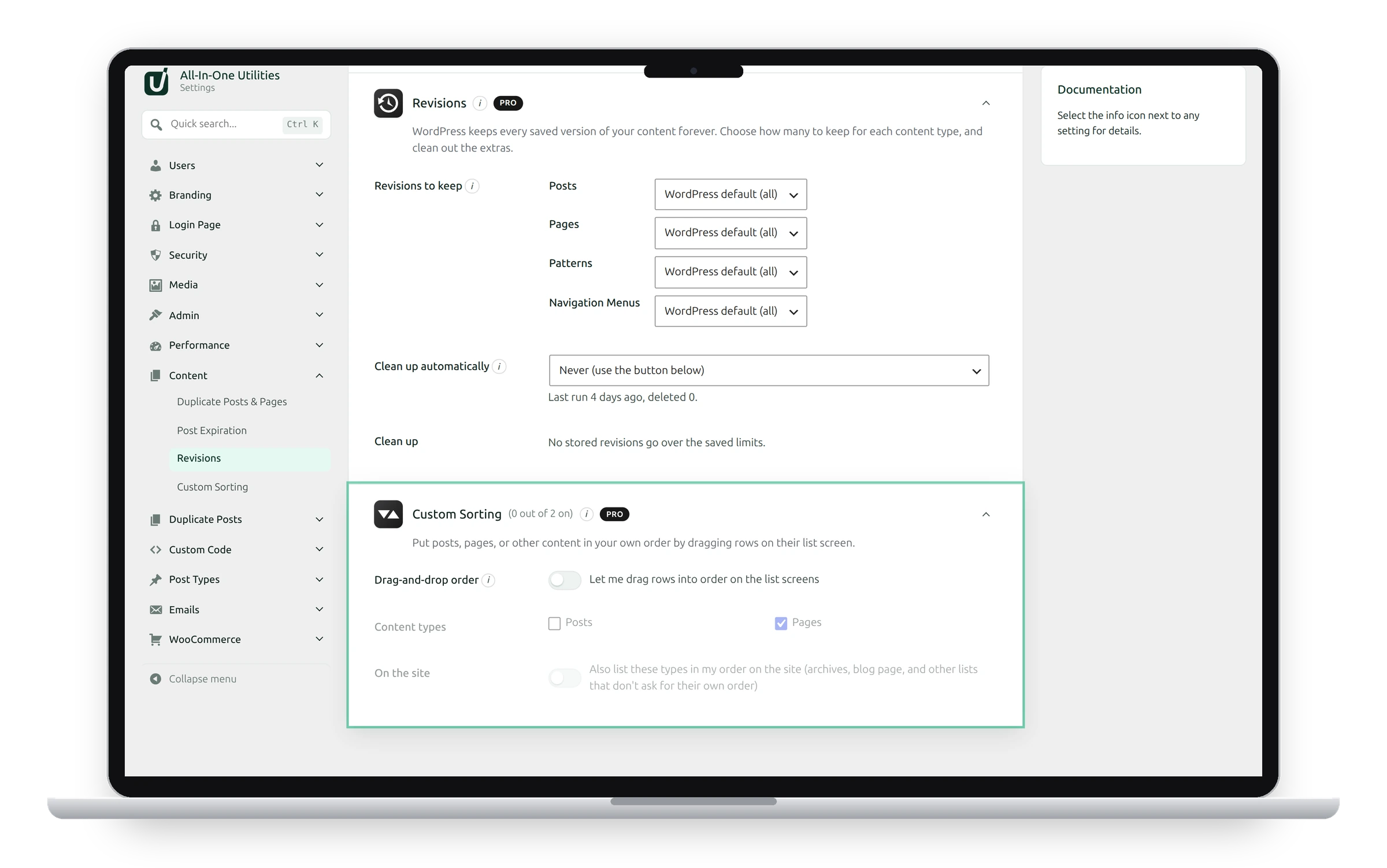
Settings
- Drag-and-drop order: lets you drag rows into order on the list screens.
- Content types: which types can be sorted.
- On the site: also lists these types in your order on the site: archives, the blog page, and other lists that don’t ask for their own order.
Sort content
Go to the type’s list screen, such as Pages, and drag a row up or down. The new order is saved straight away.
Dragging works when the list isn’t sorted by a column or searched. Only users who can edit others’ content can reorder.
The order is stored in WordPress’s own Order field (menu_order), which themes and page builders can also use.
See also Post expiration and Revision limits.
Get the add-on: compare the plans for All-in-One Utilities Pro, then pick the one that fits your sites.