Profile Fields adds your own fields to user profiles, such as a phone number, company or membership number.
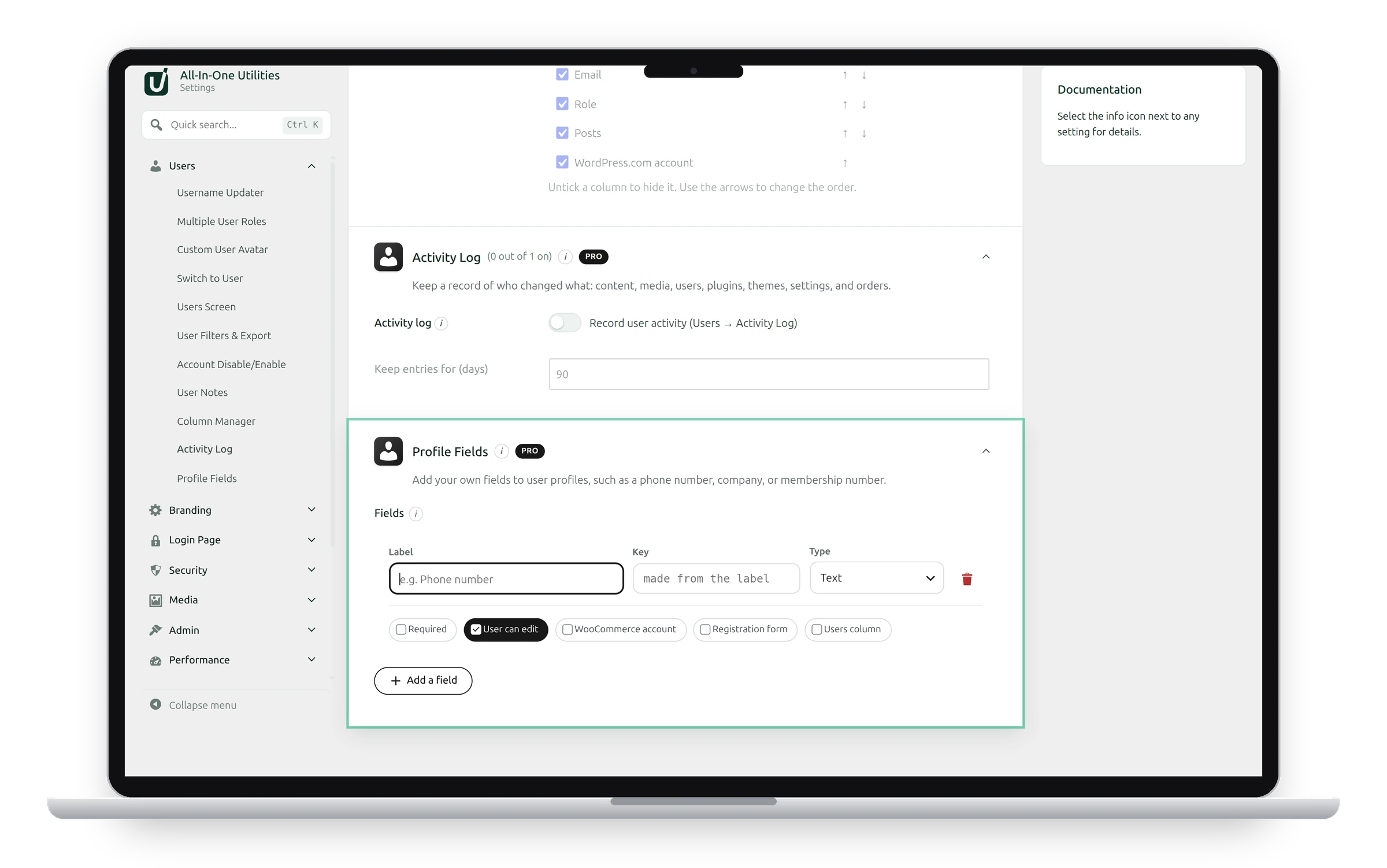
Add a field
- Click Add a field.
- Type a Label, such as “Phone number”.
- Choose the Type.
- Tick the options you want, then click Save changes.
The Key is where the value is stored (user meta). Leave it empty and it’s made from the label. Keys that WordPress, WooCommerce or this plugin use themselves get custom_ in front.
Options
- Required: the field must be filled in.
- User can edit: users can change it on their own profile. Otherwise only administrators can.
- WooCommerce account: also shows it on WooCommerce’s My Account details form.
- Registration form: also asks for it when someone registers.
- Users column: shows it as a column in Users → All Users.
Fields are included in the Users CSV export, and Import Users can fill them from a CSV column named after the key.
Removing a field keeps its saved values, so adding it back with the same key brings them back.
See also Importing users from CSV and User filters and CSV export.
Get the add-on: compare the plans for All-in-One Utilities Pro, then pick the one that fits your sites.