Pro adds premade designs for the WordPress login page. Pick a template, then make it yours with your own colors and a side image.
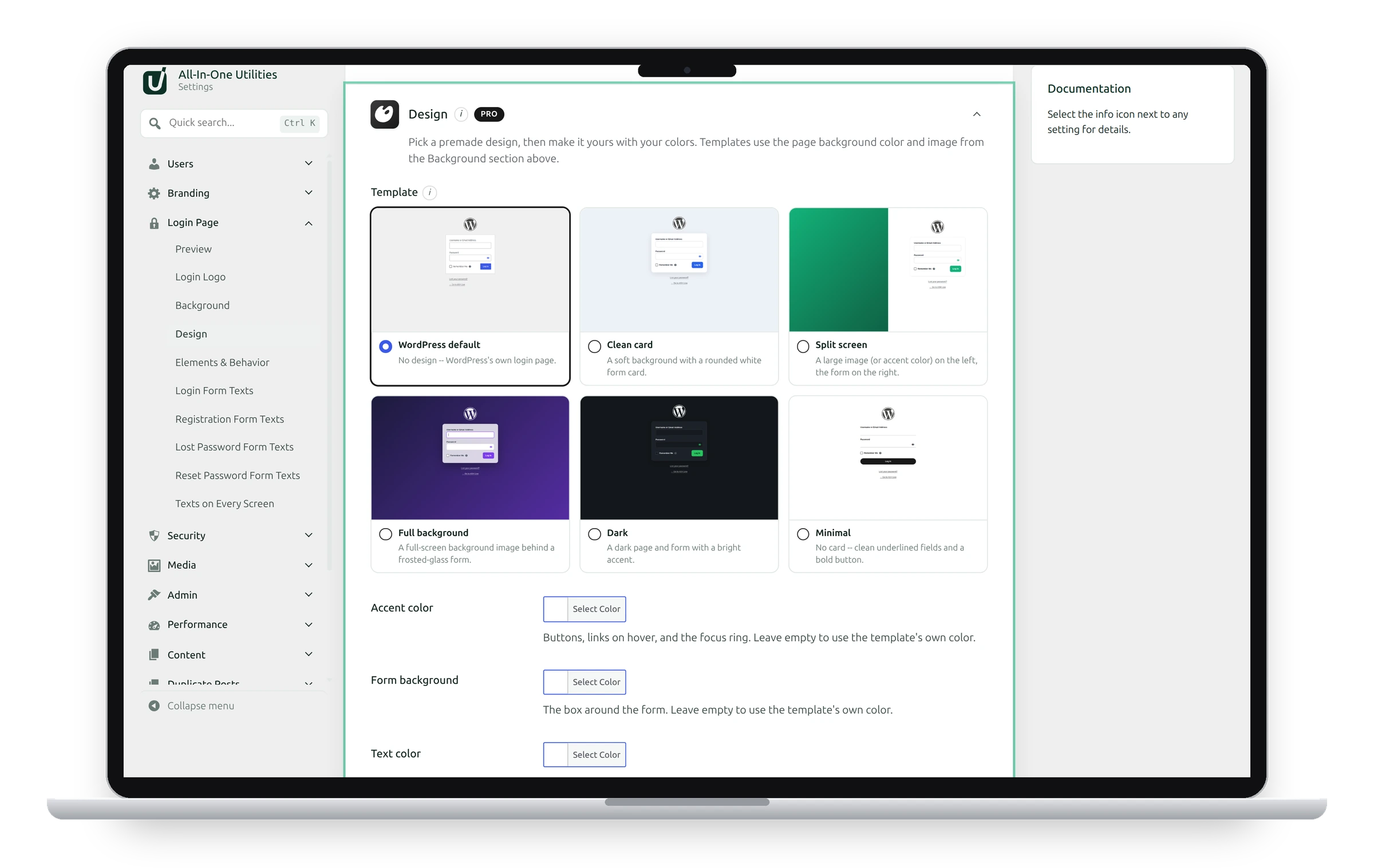
Choose a template
- Go to Settings → Login Page and find Design.
- Click a template’s preview to see it larger.
- Click the template, or Use this template in the larger preview, to choose it.
- Click Save changes.
WordPress default turns the design off. Templates use the page background color and image from the free Background section.
Templates restyle WordPress’s own login page with CSS only, so anything other plugins add to the login form, such as a CAPTCHA, keeps working.
Your colors
Leave any color empty to use the template’s own.
- Accent color: buttons, links on hover and the focus ring.
- Form background: the box around the form.
- Text color: labels and links.
- Button text color: text on the accent-colored button.
- Side image: the left half of the Split screen template. Without one, that side shows your accent color.
Check the result with the free Preview section at the top of the tab.
See also Custom login URL.
Get the add-on: compare the plans for All-in-One Utilities Pro, then pick the one that fits your sites.