Script Loading loads chosen JavaScript later, so pages show sooner. Add scripts one at a time and check the pages that use them.
Defer
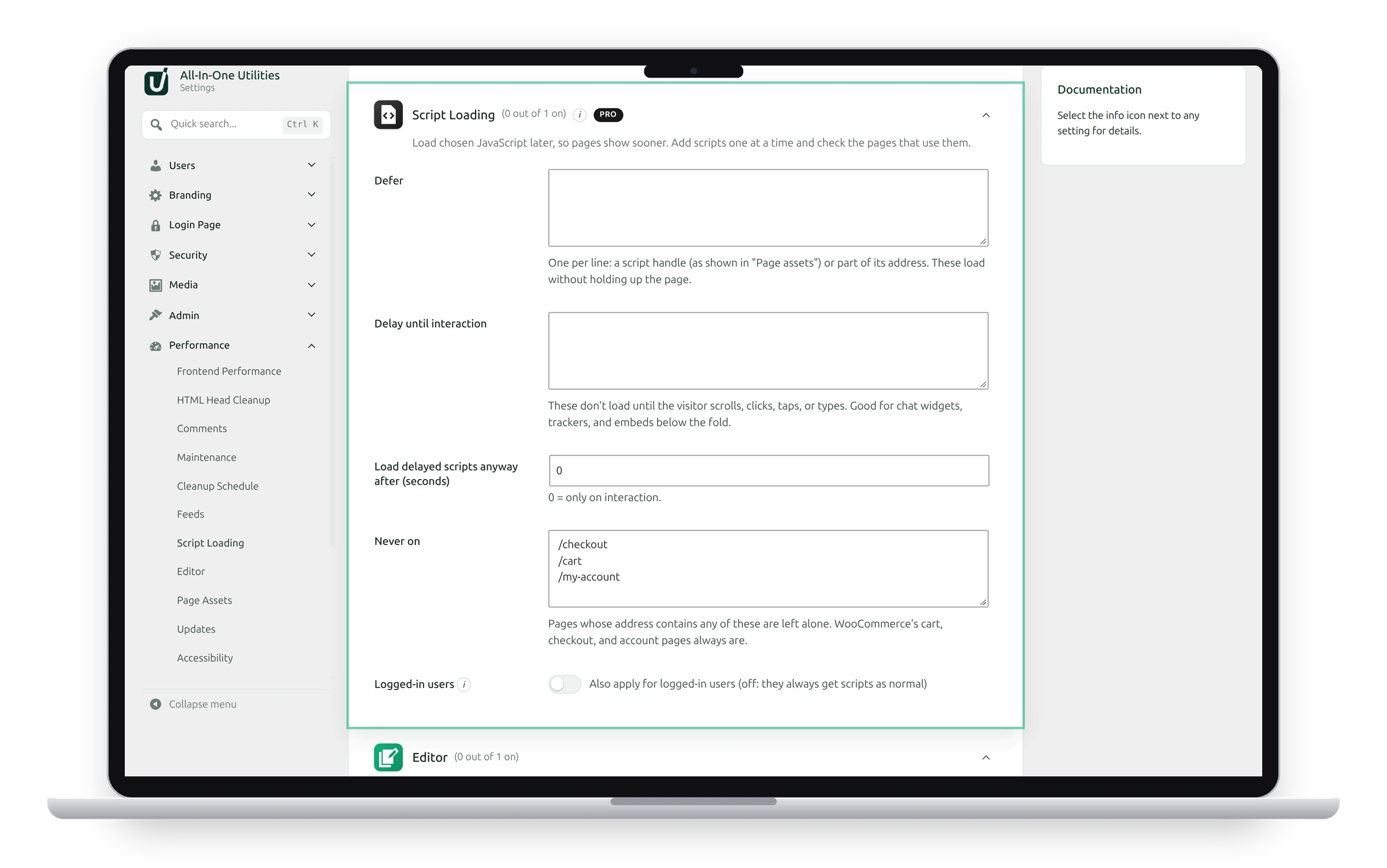
Scripts in Defer load without holding up the page. Write one per line: a script handle, as shown in Page assets, or part of its address.
Defer uses WordPress’s own loading strategy, which is skipped for a script whenever deferring it would break something.
Delay until interaction
Scripts in Delay until interaction don’t load until the visitor scrolls, clicks, taps or types. This suits chat widgets, trackers and embeds below the fold. Scripts that need a delayed one are delayed with it.
- Load delayed scripts anyway after (seconds): loads them after this time even without interaction. 0 means only on interaction.
googletagmanager.com
connect.facebook.net
tawk.to
Where it applies
- Never on: pages whose address contains any of these are left alone, one per line. WooCommerce’s cart, checkout and account pages always are.
- Logged-in users: also apply for logged-in users. Off, they always get scripts as normal, which makes testing your own changes easier.
Test after each change
Delaying can break menus, sliders, forms and payment fields that expect their script straight away. jQuery and other core scripts are never deferred or delayed.
See also Page assets and Cleanup schedule.
Get the add-on: compare the plans for All-in-One Utilities Pro, then pick the one that fits your sites.