Unused Media finds Media Library items that nothing on the site seems to use, so you can free up space.
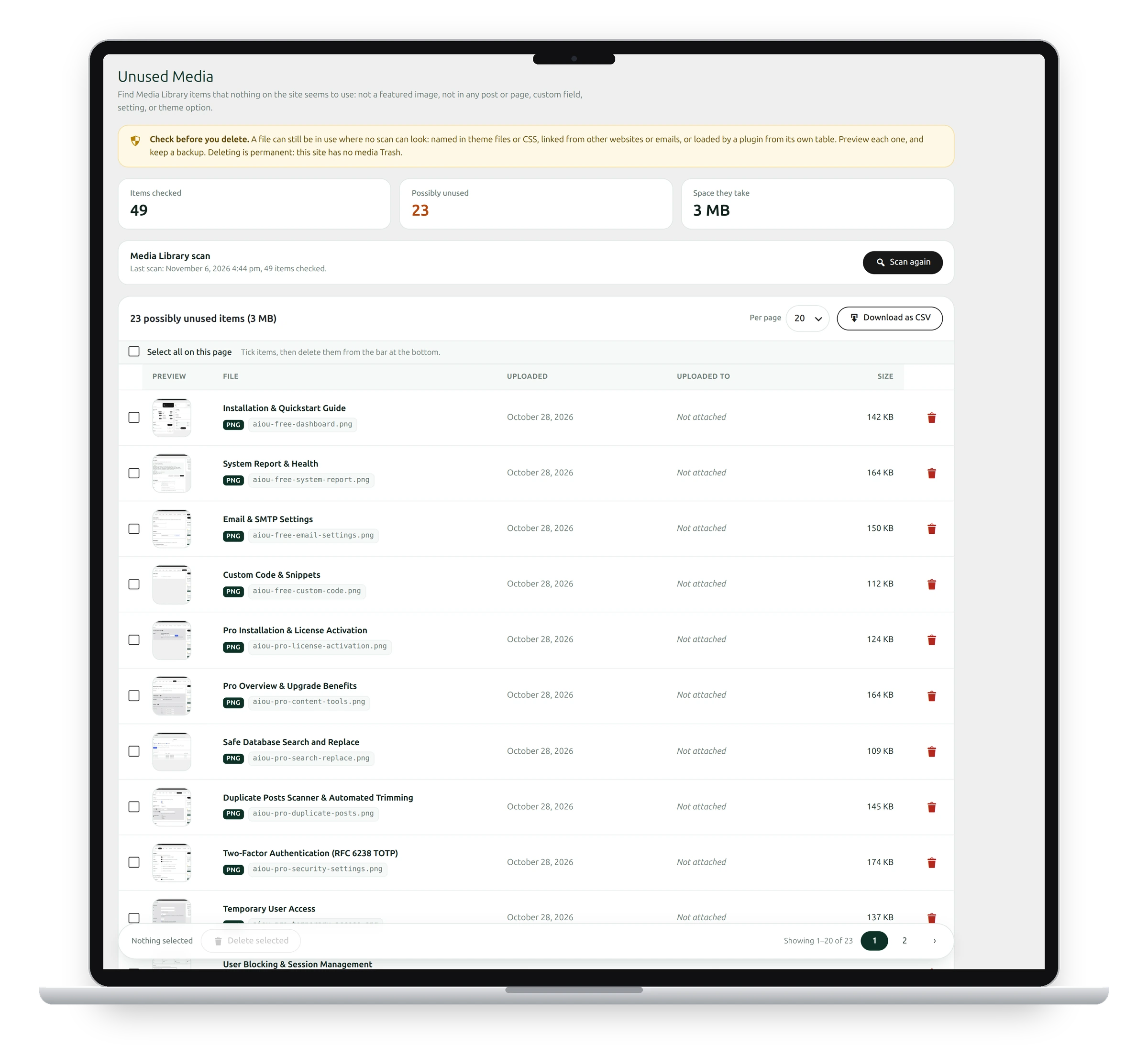
What counts as used
An item is used if it’s a featured image, appears in any post or page, or is referenced in a custom field, a setting or a theme option. Everything else is listed as possibly unused.
Scan and review
- Go to Media → Unused Media.
- Click Scan again to check the current library. The cards show how many items were checked, how many look unused and how much space they take.
- Look through the list. Each item shows a preview, the file name, upload date, what it was uploaded to, and its size.
- Click Download as CSV to keep a list.
Delete
Tick items, then click Delete selected in the bar at the bottom, or use the bin icon on one row.
Check before you delete
A file can still be in use where no scan can look: named in theme files or CSS, linked from other websites or emails, or loaded by a plugin from its own table. Preview each one, and keep a backup. Deleting is permanent: WordPress has no Trash for media.
See also Database backup and restore and Filename cleanup.
Get the add-on: compare the plans for All-in-One Utilities Pro, then pick the one that fits your sites.