Account Disable/Enable blocks a user from signing in without deleting the account or changing its roles, either until you unblock them or for a set time.
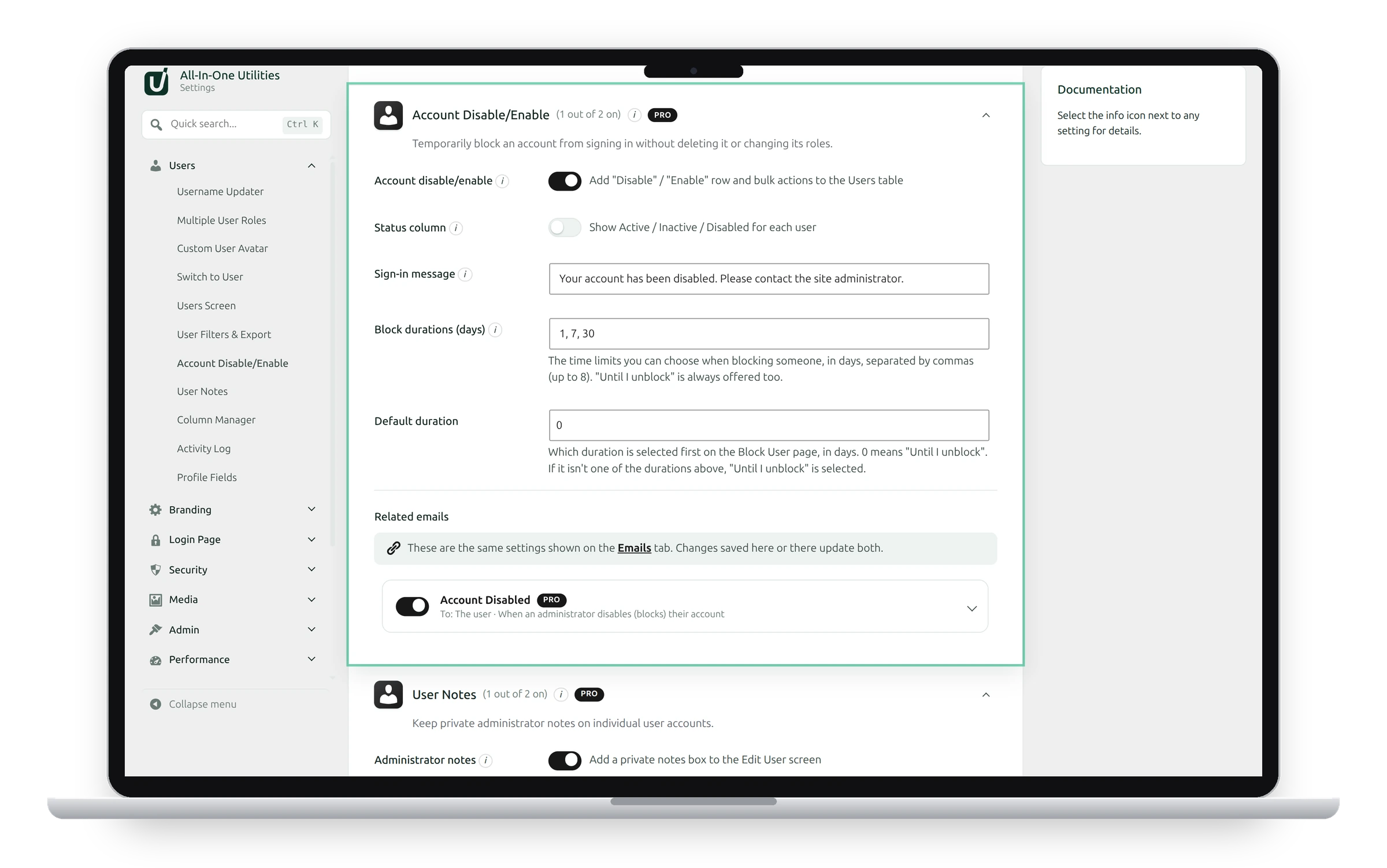
Settings
- Account disable/enable: adds Disable and Enable actions to each user and to Bulk actions on the Users screen.
- Status column: shows Active, Inactive or Disabled for each user. “Disabled” means blocked from signing in. “Inactive” only means no login within your inactivity threshold; the account still works.
- Sign-in message: what a disabled user sees after entering the correct password. Someone with a wrong password sees the normal error, so the message never confirms an account exists.
- Block durations (days): the time limits offered when blocking someone, separated by commas, up to 8. Until I unblock is always offered too.
- Default duration: the duration selected first on the Block User screen. 0 means Until I unblock.
What a block does
A blocked user is signed out everywhere and can’t sign in, use application passwords, or reset their password. Their account, roles, content and orders are untouched. A block for a set time ends by itself.
You can’t block your own account or a network super admin.
Block or unblock someone
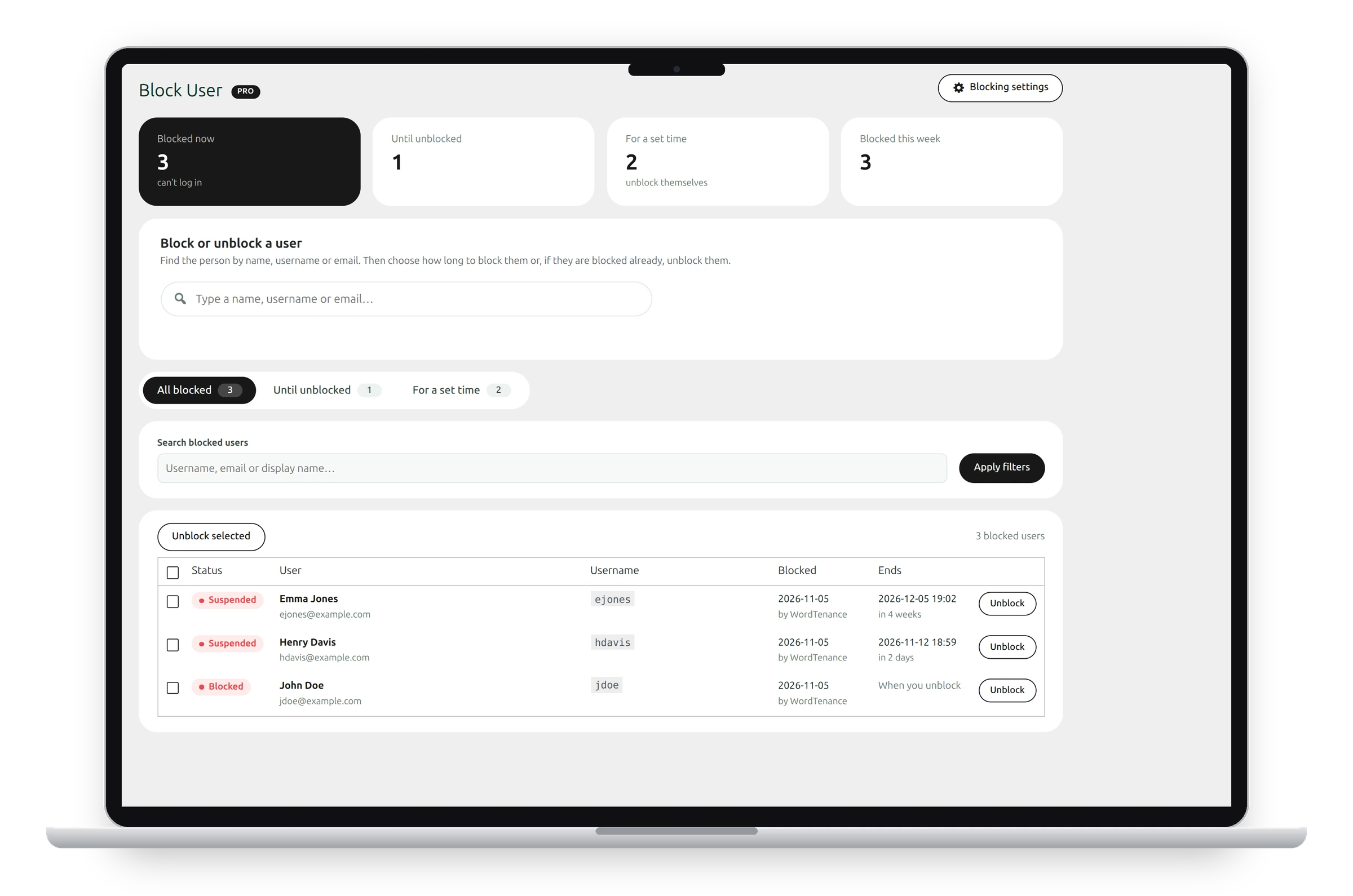
Go to Users → Block User:
- Type a name, username or email in Block or unblock a user and pick the person.
- Choose how long, or click Unblock if they’re blocked already.
The cards at the top count who is blocked now, until unblocked, for a set time, and blocked this week. The list below shows each blocked user, who blocked them and when the block ends. Tick several and click Unblock selected to unblock them at once.
You can also block from Users → All Users with the Suspend for… bulk actions, or from the Account status box on a user’s Edit User screen.
Switching the feature off lifts every block
If you switch Account Disable/Enable off, or deactivate Pro, every disabled account can sign in again.
See also User filters and CSV export and Sessions.
Get the add-on: compare the plans for All-in-One Utilities Pro, then pick the one that fits your sites.