
You can deny checkout if a customer has pending orders in WooCommerce by checking the logged-in customer’s order history for any order still sitting in a “pending” or “on-hold” status before allowing a new order to be placed, useful for stores that need payment resolved on prior orders first.
Why Block Checkout for Customers With Pending Orders
- Prevent order fulfillment confusion when a customer has multiple unresolved orders
- Encourage customers to complete or follow up on stalled bank transfer or manual payments
- Reduce the administrative burden of tracking overlapping unpaid orders per customer
Step 1: Add the Pending Order Check Snippet
/** Block checkout if the logged-in customer already has an unresolved order */
add_action( 'woocommerce_after_checkout_validation', 'block_checkout_if_pending_order_exists' );

function block_checkout_if_pending_order_exists( $posted_data ) {

    if ( ! is_user_logged_in() ) {
        return;
    }

    $unresolved_orders = wc_get_orders( array(
        'customer' => get_current_user_id(),
        'status'   => array( 'wc-pending', 'wc-on-hold' ),
        'limit'    => 1,
    ) );

    if ( ! empty( $unresolved_orders ) ) {
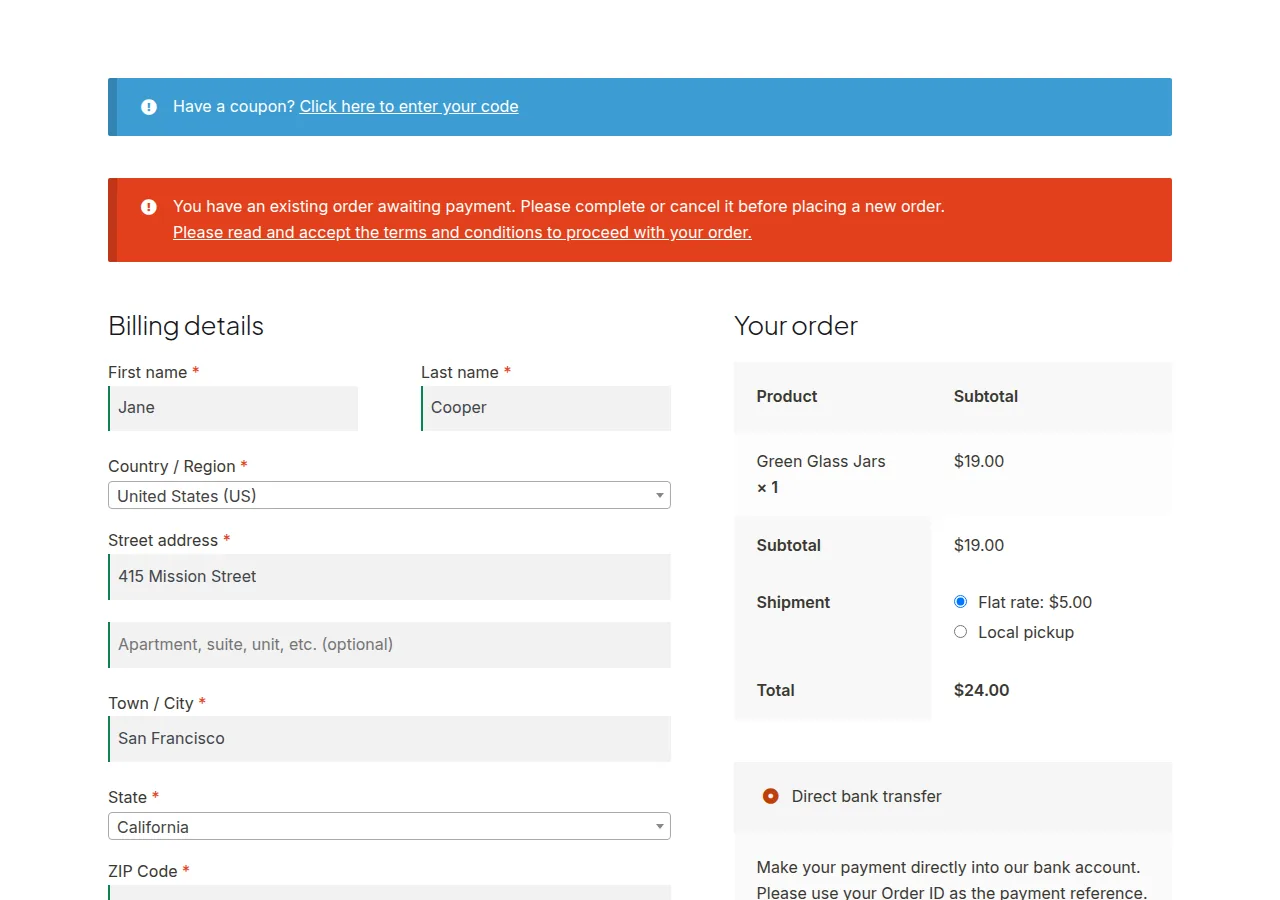
        wc_add_notice( 'You have an existing order awaiting payment. Please complete or cancel it before placing a new order.', 'error' );
    }
}
Troubleshooting
Guest Checkouts Aren’t Affected
This is expected — the check relies on get_current_user_id(), which only works for logged-in customers; guest orders have no reliable account history to check against.
Customers Get Blocked Even After Paying
Confirm the payment gateway is actually updating the order status correctly after successful payment — if orders are stuck in “pending” despite being paid, that points to a gateway configuration issue, not this snippet.
Want to Allow a Small Number of Pending Orders Instead of Zero
Change 'limit' => 1 to a higher number and add a count check, only blocking checkout once the customer exceeds your chosen threshold.
Frequently Asked Questions
Does this block checkout for orders in “processing” status too?
No, only “pending” and “on-hold” by default — processing typically means payment was already received, so it’s excluded; adjust the status array if your store defines this differently.
Can I customize the error message shown to customers?
Yes — edit the string inside wc_add_notice() to match your store’s tone and include next steps, like a link to their order history.
Does this affect subscription renewal orders?
It can, since renewal orders are still orders tied to that customer — consider excluding subscription-related orders from this check if that’s not the intended behavior for your store.
Conclusion
Denying checkout if a customer has pending orders in WooCommerce is a validation snippet that checks the logged-in customer’s order history before allowing a new order through. Adjust the status list and threshold to match exactly which situations should trigger the block.
See also How to Let Customers Edit Processing Orders in WooCommerce. Then read How to Show SKU on the Cart, Checkout, and Order Emails.
Prefer no code? All-in-One Utilities Woo Add-on adds over 50 WooCommerce features, so you can switch them on without code.