You can translate the Shipping label in WooCommerce cart totals using a single filter that overrides the package name shown in the cart and checkout totals table, without editing translation files or installing a plugin. This works whether you want a different English word or a fully localized term.
Why Rename the Shipping Row Label
- Your brand voice calls it “Delivery” instead of the default “Shipping”
- You’re serving a market where “Shipping and Handling” reads awkwardly and a shorter word fits better
- You want the wording to match your shipping method names elsewhere on the site
Step 1: Override the Shipping Package Name
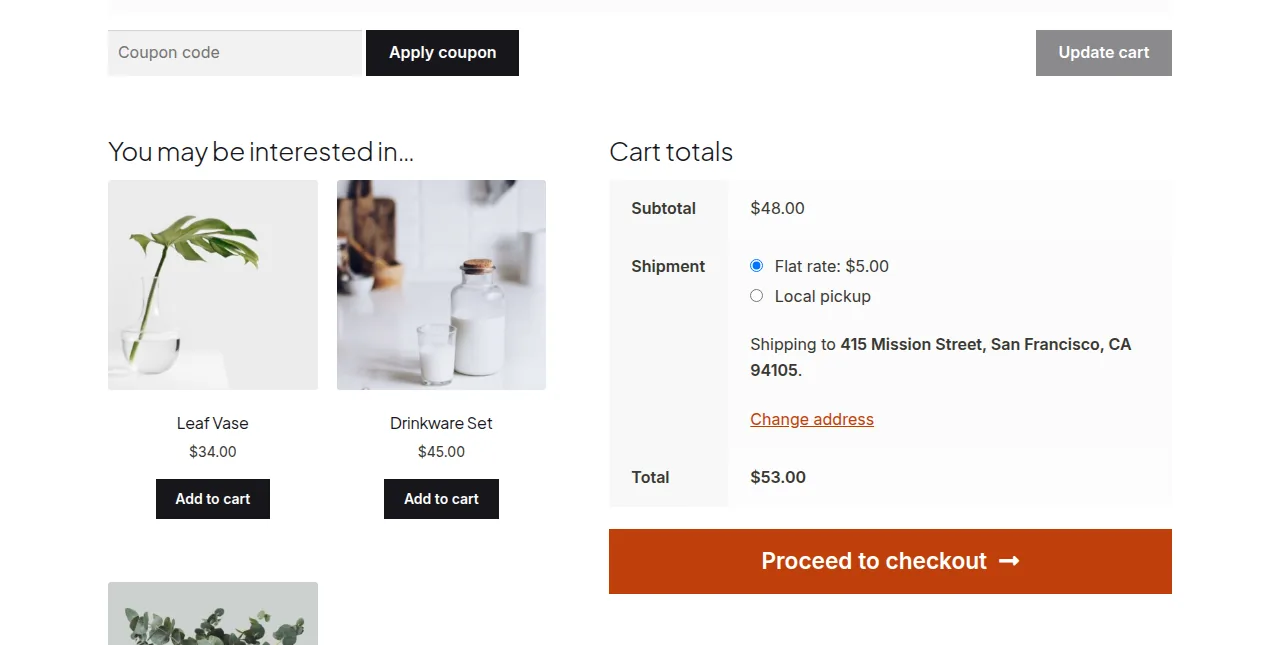
The row title in the cart and checkout totals table comes from the woocommerce_shipping_package_name filter. Returning a new string replaces it everywhere the totals table is rendered.
/**
 * Rename the "Shipping" row in cart and checkout totals
 * Add to your child theme's functions.php
 */
add_filter( 'woocommerce_shipping_package_name', 'rename_shipping_totals_row' );

function rename_shipping_totals_row() {
    return 'Delivery Options';
}
Variant: Show a Different Label for Multiple Shipping Packages
Stores that ship items in separate packages (multi-vendor or split shipments) receive a package number and count as arguments, which you can use to build a numbered label instead of a single static string.
add_filter( 'woocommerce_shipping_package_name', 'label_each_shipment_package', 10, 3 );

function label_each_shipment_package( $label, $index, $total_packages ) {
    if ( $total_packages > 1 ) {
        return sprintf( 'Parcel %d of %d', $index + 1, $total_packages );
    }
    return 'Delivery Options';
}
Troubleshooting
The New Label Doesn’t Appear
Clear any page or fragment cache — cart totals are frequently cached by performance plugins and by the WooCommerce cart fragments Ajax response, so a stale label can persist until the cache is cleared and the cart is refreshed.
You Also Need to Change “Total” or Another Row
Each totals row has its own filter or template string. “Shipping” uses the filter above, but other labels like “Subtotal” or “Total” typically require a gettext-based string translation instead — search for the exact label wording to find the matching filter.
Frequently Asked Questions
Does this change the label on the order confirmation email too?
Yes, order emails pull the shipping row from the same totals rendering logic, so the new label appears there as well.
Can I make the label conditional on the shipping country?
Yes, inside the function you can check WC()->customer->get_shipping_country() and return a different string per country.
Is this different from a full translation plugin?
Yes, a translation plugin swaps strings sitewide based on locale, while this snippet is a targeted rename you control directly in code — faster for a single label change.
Conclusion
A single filter is enough to translate the Shipping label in WooCommerce cart totals into wording that better fits your store, without touching a .po file. Clear your cache after adding the snippet so you can confirm the new label is showing correctly on both the cart and checkout pages.
See also How to Translate a WooCommerce String (Rename Any Text, No Plugin Needed). Then read How to Rename the Tags Label on the WooCommerce Single Product Page.
Prefer no code? All-in-One Utilities Woo Add-on adds over 50 WooCommerce features, so you can switch them on without code.