
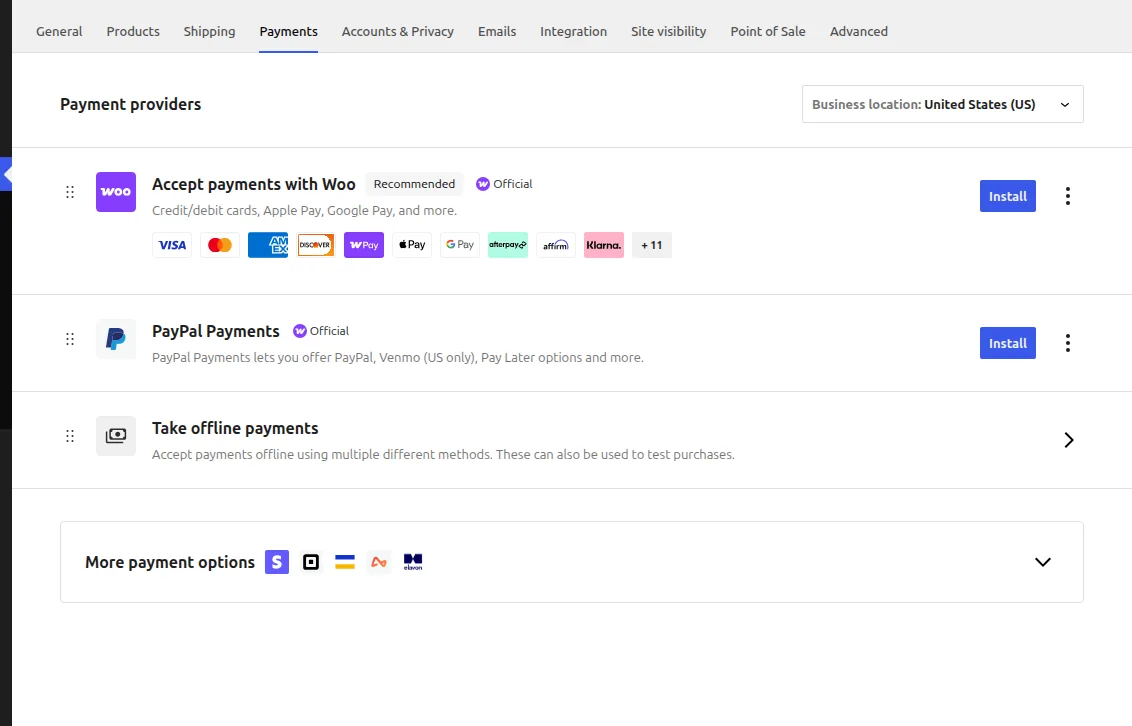
To choose a payment gateway for WooCommerce, compare transaction fees against your average order value, confirm support for your customers’ preferred payment methods, and check settlement speed and chargeback handling before committing to one provider.
Why the Right Gateway Choice Matters
- Transaction fees compound quickly at scale, so a small percentage difference matters on high volume
- Missing a popular local payment method can cost more in lost sales than any fee difference
- Some gateways settle funds faster than others, affecting cash flow for smaller stores
- Dispute and chargeback handling varies significantly and affects how much manual work falls on you
Step 1: Match Payment Methods to Your Audience
Look at where your customers are located and what they actually prefer to use — card payments dominate in some markets, while digital wallets or bank transfers are far more common in others.
Step 2: Compare the Real Cost, Not Just the Headline Rate
- Check for additional fees: currency conversion, chargebacks, monthly minimums
- Confirm whether the rate changes for international cards versus domestic ones
- Ask about payout schedule (daily, weekly) since this affects cash flow directly
Step 3: Test the Checkout Experience Yourself
Complete a real test transaction end to end, including a failed payment scenario, to see exactly what your customers will experience if something goes wrong.
Troubleshooting
Customers report failed payments the gateway logs as successful
This usually points to a webhook or order-status sync issue between WooCommerce and the gateway — confirm the gateway’s plugin webhook URL is correctly configured and reachable.
High decline rate on international cards
Some gateways apply stricter fraud filters by default — check the gateway’s fraud settings and adjust thresholds if legitimate international orders are being blocked too aggressively.
Frequently Asked Questions
Should I offer more than one payment gateway?
Yes, offering at least one card processor and one alternative method (digital wallet or local payment option) generally reduces checkout abandonment compared to a single option.
Do all WooCommerce payment gateways require an official plugin?
Most reputable gateways provide an official WooCommerce extension — avoid unofficial or unmaintained integrations, since payment code needs to stay current with security standards.
Does switching gateways affect existing subscription payments?
Often yes — recurring subscription tokens are usually gateway-specific, so migrating requires a plan for re-authorizing existing subscribers, not just installing a new plugin.
Conclusion
The best way to choose a payment gateway for WooCommerce is to test the real checkout flow and compare true costs at your specific order volume, not just the advertised rate. Revisit the decision periodically as your order volume and customer geography shift over time.
See also How to Change the Default Order Status Per Payment Gateway in WooCommerce. Then read How to Disable a Payment Gateway by Country in WooCommerce.
Prefer no code? All-in-One Utilities Woo Add-on adds over 50 WooCommerce features, so you can switch them on without code.