
You can hide the shipping via text in WooCommerce — the suffix that appends the shipping method name to the cost on the thank-you page and My Account order view — with a single filter, woocommerce_order_shipping_to_display_shipped_via, set to return an empty string.
Why Remove This Suffix
- Stores running heavily customized shipping method names find the default “via [Method]” wording redundant or confusing
- A cleaner order summary without extra text can look more polished, especially on custom-branded thank-you pages
- Some methods (like a renamed flat rate) display internal labels that don’t make sense to customers
Step 1: Remove the Suffix
/** Remove the "via [Shipping Method]" suffix on Thank You & View Order pages */
add_filter( 'woocommerce_order_shipping_to_display_shipped_via', '__return_empty_string' );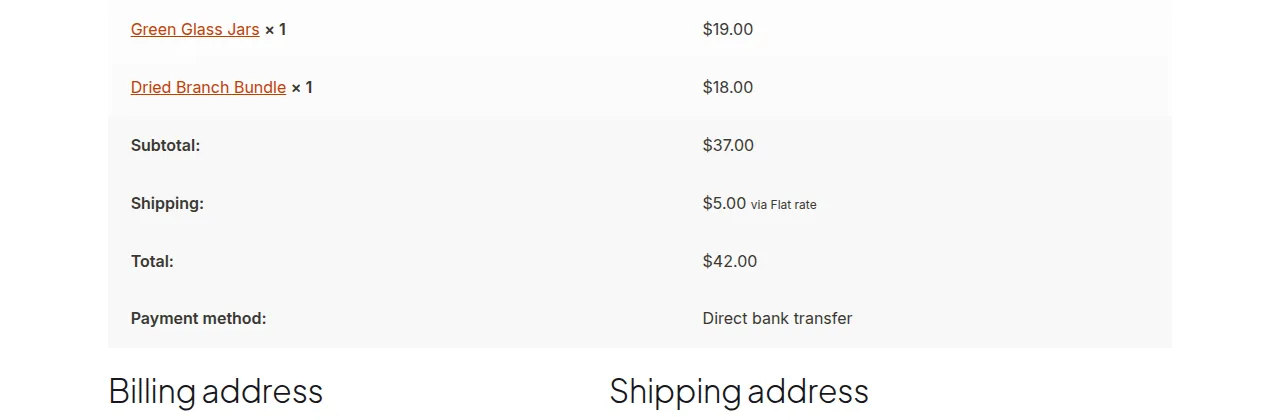
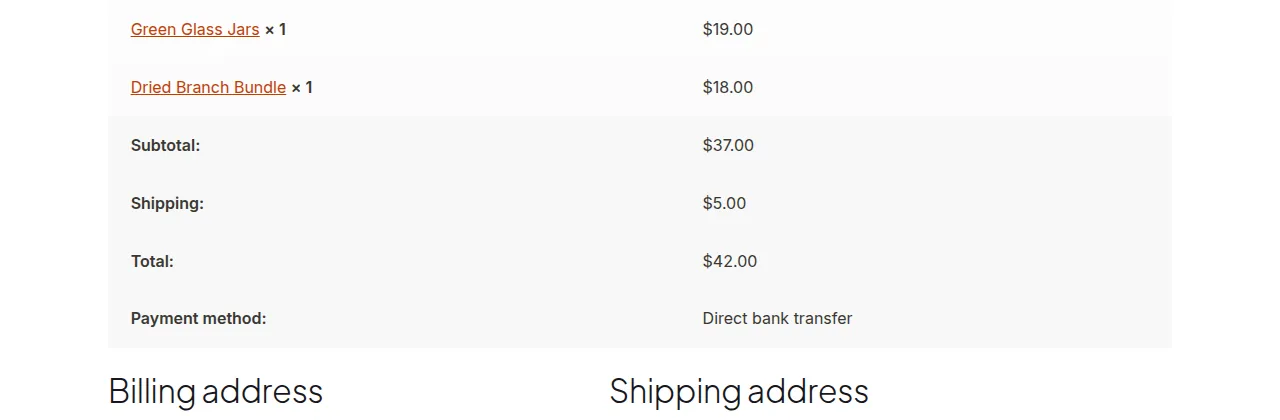
That’s the entire snippet — drop it in your child theme’s functions.php and the suffix disappears immediately, with no further configuration needed.
Keeping the Suffix for Specific Methods Only
If you’d rather remove it selectively, filter based on the order’s shipping method instead of blanking it out everywhere:
add_filter( 'woocommerce_order_shipping_to_display_shipped_via', 'strip_via_suffix_for_flat_rate_only', 10, 2 );

function strip_via_suffix_for_flat_rate_only( $via, $order ) {
    foreach ( $order->get_shipping_methods() as $shipping ) {
        if ( 'flat_rate' === $shipping->get_method_id() ) {
            return '';
        }
    }
    return $via;
}
Troubleshooting
The Suffix Still Shows for Local Pickup
A free ($0) local pickup method never displays a “via” suffix by design, since there’s no cost line to attach it to. If pickup has a fee, the filter above should remove it just like any other method — confirm your theme hasn’t overridden the shipping display template separately.
Change Doesn’t Apply Immediately
Clear any page cache for the thank-you and My Account pages, since these are sometimes cached briefly even on otherwise dynamic setups.
Frequently Asked Questions
Does this affect the checkout page shipping display?
No, this filter only controls the order-review display on the thank-you and View Order pages, not the live shipping options shown during checkout.
Can I replace it with custom text instead of hiding it?
Yes, return your own string instead of an empty one, e.g. ' (Standard Delivery)'.
Will this affect order emails too?
Yes, order emails pull from the same order data and display logic, so the suffix disappears there as well.
Conclusion
Hiding the shipping via text in WooCommerce takes a single filter and no configuration beyond that. It’s one of the smallest, highest-impact tweaks for cleaning up the order summary shown to customers.
See also How to Hide a Shipping Rate by Shipping Class in WooCommerce. Then read How to Hide Other Shipping Rates When Free Shipping Is Available in WooCommerce.
Prefer no code? All-in-One Utilities Woo Add-on adds over 50 WooCommerce features, so you can switch them on without code.