
You can save and display order total weight in WooCommerce by capturing the cart’s combined weight at checkout, storing it as order meta, and printing it on the admin order screen since WooCommerce doesn’t track this value by default.
Why Track Total Order Weight
- Helps warehouse staff choose the right box size or shipping method at a glance
- Useful for manually verifying carrier shipping charges against the actual order weight
- Saving the value once is far cheaper than recalculating it from order items every time
- WooCommerce stores per-product weight already, this just totals and persists it per order
Step 1: Save the Weight at Checkout
/** Save the cart's total weight to order meta when the order is placed */
add_action( 'woocommerce_checkout_create_order', 'save_order_total_weight' );

function save_order_total_weight( $order ) {
    $order->update_meta_data( '_order_total_weight', WC()->cart->get_cart_contents_weight() );
}
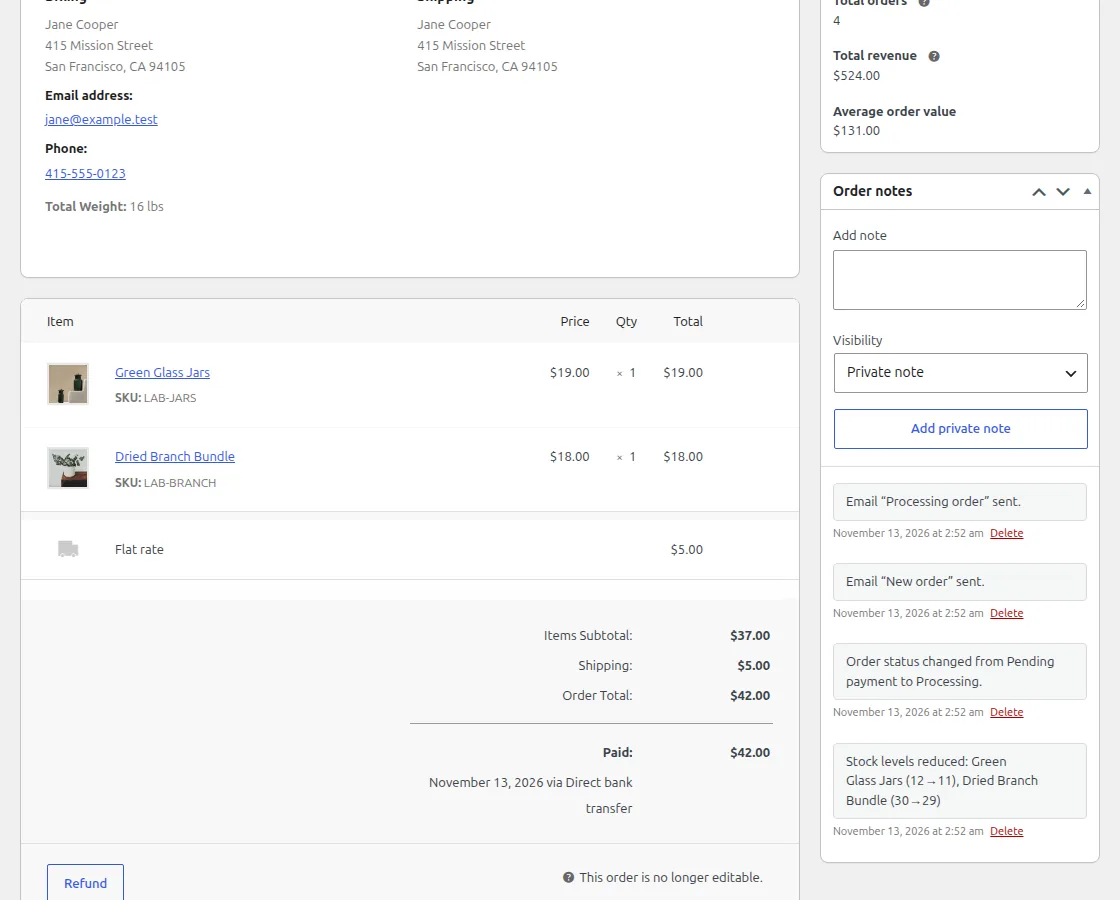
Step 2: Display It on the Admin Order Screen
/** Show the saved order weight next to the billing address in wp-admin */
add_action( 'woocommerce_admin_order_data_after_billing_address', 'display_order_total_weight', 10, 1 );

function display_order_total_weight( $order ) {
    $weight = $order->get_meta( '_order_total_weight' );
    if ( $weight ) {
        echo '<p><strong>Total Weight:</strong> ' . esc_html( $weight ) . ' ' . esc_html( get_option( 'woocommerce_weight_unit' ) ) . '</p>';
    }
}
Troubleshooting
Weight isn’t saved for orders placed through the block-based checkout
The classic woocommerce_checkout_create_order hook doesn’t fire for the newer block checkout. Also hook the same function to woocommerce_store_api_checkout_update_order_meta, which passes the order object too.
Weight shows blank for older orders
This snippet only saves weight going forward — orders placed before the code was added never had the value calculated, so blank fields for historical orders are expected.
Frequently Asked Questions
Does this account for the shipping box’s own weight?
No, it only totals the weight set on each product in your catalog — add a fixed packaging weight manually if you need that included too.
Can I show total weight to customers, not just admins?
Yes, use the same $order->get_meta() lookup inside a front-end template like the order confirmation or My Account order details page.
Do I need to set a weight unit for this to work?
Yes, set your store’s weight unit (kg, lb, etc.) under WooCommerce > Settings > Products so the displayed value has correct units.
Conclusion
Two small hooks are enough to save and display order total weight in WooCommerce for fulfillment teams. Both read and write the value through the order object, so they work with HPOS. If your store uses the block-based checkout, also add the Store API hook so the weight gets captured on every order.
See also How to Display Total Cart Weight in WooCommerce. Then read How to Find WooCommerce Products With No Weight Set.
Prefer no code? All-in-One Utilities Woo Add-on adds over 50 WooCommerce features, so you can switch them on without code.