
You can use WooCommerce blocks beyond the basics by combining product-display blocks like On Sale Products, Best Selling, and Filtered Products with the block editor’s row/column layouts to build custom landing and category pages without writing template code.
Why Go Beyond the Basic Blocks
- Basic blocks (like a plain product grid) cover simple needs, but combined blocks build genuinely custom layouts
- Filter-enabled blocks let shoppers narrow results without leaving the page they landed on
- Blocks update automatically as your catalog changes, unlike a manually curated static page
- No custom PHP template is required to rearrange how products are presented
Step 1: Combine Product Blocks With Filter Blocks
Pairing a “Filtered Products” block with an “Attribute Filter” or “Price Filter” block on the same page lets shoppers refine a curated collection interactively — useful for seasonal landing pages where you want a themed subset of the catalog, not the entire shop.
Step 2: Use the On Sale and Best Sellers Blocks for Promotions
The On Sale Products block pulls in whatever is currently discounted without manual curation, so a “Deals” page built from it stays accurate automatically as sale prices change. Best Selling Products works well on a homepage to surface proven products to new visitors.
Step 3: Customize Block Display Settings
Each product block exposes settings for rows/columns, and toggles for showing rating, price, and the add-to-cart button — adjust these per block instance so a compact homepage widget doesn’t need the same detail level as a full category landing page.
Step 4: Extend Blocks With a Custom Block (Advanced)
For a display option no core block covers, register a small custom block or a PHP-rendered dynamic block that queries products your way. This is a heavier lift than configuring existing blocks and is best reserved for genuinely unique layouts.
/** Register a simple shortcode-backed block area for a curated bundle of products */
add_shortcode( 'curated_bundle', 'render_curated_product_bundle' );
function render_curated_product_bundle( $atts ) {
$atts = shortcode_atts( array( 'ids' => '' ), $atts );
if ( empty( $atts['ids'] ) ) {
return '';
}
return do_shortcode( '
-
All-in-One Utilities
Download free
-
Sale!
All-in-One Utilities — All Add-ons (Lifetime)
Price range: $299 through $1,199
Select options
This service has multiple variants. The options may be chosen on the service page
-
Sale!
All-in-One Utilities — All Add-ons (Yearly)
From: $124 / year
Select options
This service has multiple variants. The options may be chosen on the service page
-
Sale!
All-in-One Utilities Chat
From: $19 / year
Select options
This service has multiple variants. The options may be chosen on the service page
-
Sale!
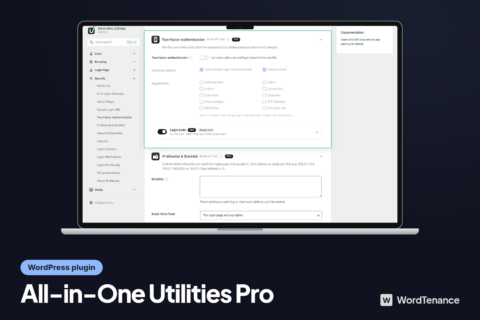
All-in-One Utilities Pro
From: $49 / year
Select options
This service has multiple variants. The options may be chosen on the service page
-
Sale!
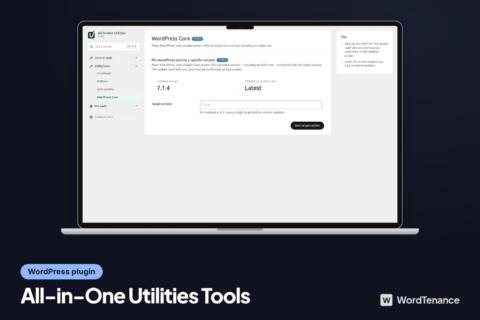
All-in-One Utilities Tools
From: $29 / year
Select options
This service has multiple variants. The options may be chosen on the service page
-
Sale!

All-in-One Utilities Woo Add-on
From: $59 / year
Select options
This service has multiple variants. The options may be chosen on the service page
-
Sale!

Bank Hours
Original price was: $48.$22Current price is: $22. $22
Add to cart
-
Sale!

Dedicated WordPress Developer
From: $550 / month
Select options
This service has multiple variants. The options may be chosen on the service page
-

SEO
From: $349 / month
Select options
This service has multiple variants. The options may be chosen on the service page
-
Sale!

WordPress Development Hours
Original price was: $48.$25Current price is: $25. $25
Add to cart
-
Sale!

WordPress Maintenance Plans – Unlimited Edits & Speed Optimization
From: $99 / month
Select options
This service has multiple variants. The options may be chosen on the service page
-

Local SEO
From: $249 / month
Select options
This service has multiple variants. The options may be chosen on the service page
-

GEO (AI search)
From: $399 / month
Select options
This service has multiple variants. The options may be chosen on the service page
-

Social Search (SSO)
From: $249 / month
Select options
This service has multiple variants. The options may be chosen on the service page
-
App Store Optimisation (ASO)
From: $299 / month
Select options
This service has multiple variants. The options may be chosen on the service page
-

Google Ads
From: $299 / month
Select options
This service has multiple variants. The options may be chosen on the service page
-

Meta Ads
From: $299 / month
Select options
This service has multiple variants. The options may be chosen on the service page
-

Content Marketing
From: $399 / month
Select options
This service has multiple variants. The options may be chosen on the service page
-

Google Analytics (GA4)
Price range: $149 through $549
Select options
This service has multiple variants. The options may be chosen on the service page
-

Google Tag Manager
Price range: $129 through $449
Select options
This service has multiple variants. The options may be chosen on the service page
-

Google Search Console
Price range: $79 through $299
Select options
This service has multiple variants. The options may be chosen on the service page
) . '" columns="3"]' );
}
Troubleshooting
Blocks Don’t Appear in the Inserter
Confirm the WooCommerce Blocks feature plugin (or a recent enough WooCommerce core version that bundles them) is active — very old WooCommerce versions predate several of these blocks entirely.
Filter Blocks Don’t Actually Filter the Product Grid
Filter blocks need to be placed on the same page as the product block they’re meant to control, and some page builders wrap blocks in containers that break this connection — test in the default block editor first if a filter isn’t working inside a page builder layout.
Frequently Asked Questions
Do WooCommerce blocks replace the need for a page builder?
For many common layouts, yes — but complex custom designs may still benefit from a page builder that supports WooCommerce blocks alongside its own layout elements.
Are WooCommerce blocks free?
Yes, the core WooCommerce blocks ship free with WooCommerce or its companion Blocks plugin — no premium add-on is required for the standard set.
Can I use WooCommerce blocks inside a blog post, not just a page?
Yes — blocks like Product, On Sale Products, or a Filtered Products grid can be inserted into any post or page that uses the block editor.
Conclusion
Once you’re comfortable with the basic WooCommerce blocks, combining product and filter blocks unlocks genuinely custom landing pages without touching a template file. Reach for a custom block only when the built-in combinations truly can’t produce the layout you need.
See also How to Add Product Filters to a WooCommerce Store. Then read How to Build Custom WooCommerce Layouts With Elementor.
Prefer no code? All-in-One Utilities Woo Add-on adds over 50 WooCommerce features, so you can switch them on without code.