
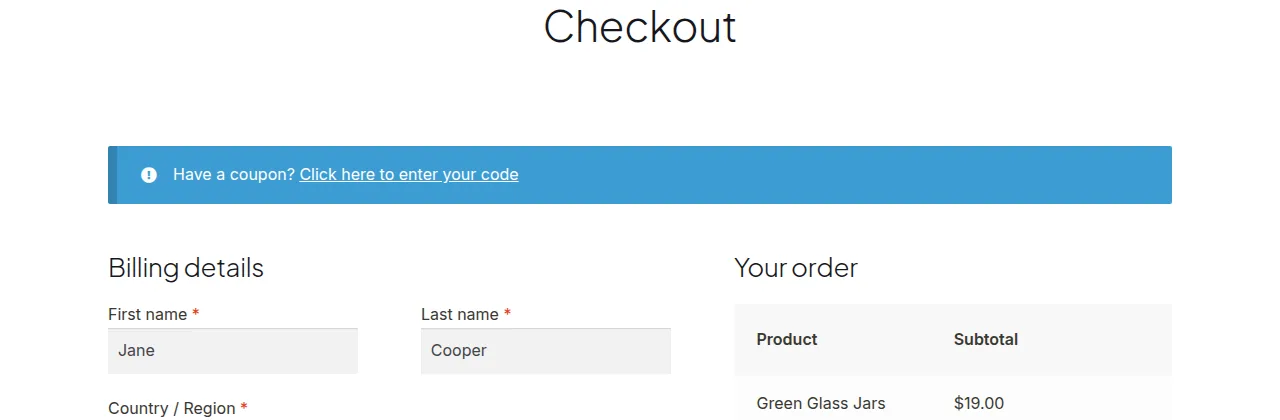
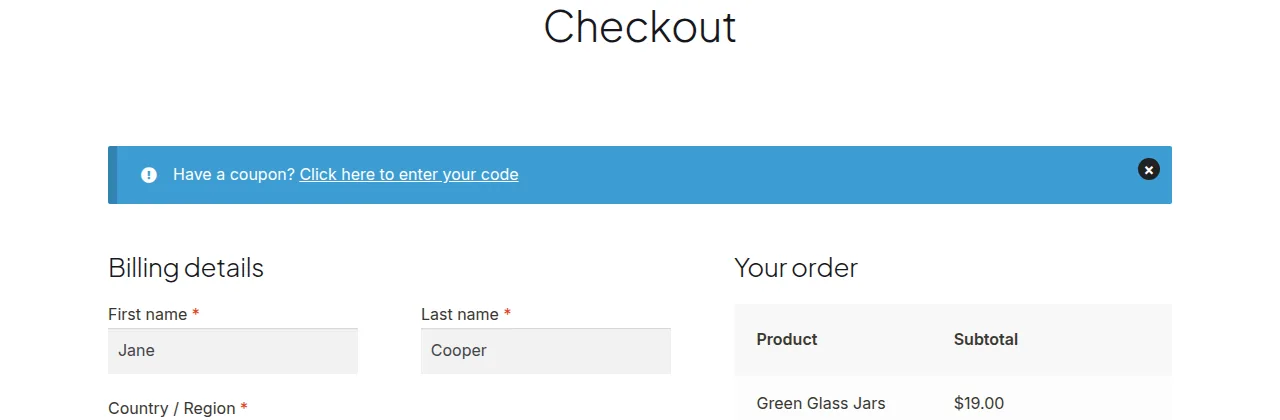
You can add a close button to WooCommerce checkout notices with a small PHP, JavaScript, and CSS combination that appends a dismiss “x” to each message and error notification, letting customers collapse them without reloading the page.
Why Add a Dismiss Button
- WooCommerce notices can take up significant vertical space, especially on mobile checkout
- Stacked messages push important checkout fields further down the page
- Letting customers dismiss a notice they’ve already read improves the perceived tidiness of the checkout flow
Step 1: Add the Dismiss Button With JavaScript
/** Add a clickable dismiss button to WooCommerce checkout notices */
add_action( 'wp_loaded', 'add_dismiss_button_to_checkout_notices' );

function add_dismiss_button_to_checkout_notices() {
    if ( is_admin() ) return;

    wc_enqueue_js( "
        $(document).on('updated_checkout checkout_error', function() {
            $('.woocommerce-message, .woocommerce-info, .woocommerce-NoticeGroup-checkout').each(function() {
                if (!$(this).find('.wt-notice-dismiss').length) {
                    $(this).append('<span class=\"wt-notice-dismiss\" title=\"Dismiss\">×</span>').css('position', 'relative');
                }
            });
        });
        $(document).on('click', '.wt-notice-dismiss', function() {
            $(this).parent().fadeOut(400);
        });
    " );
}
Step 2: Style the Dismiss Button
.wt-notice-dismiss {
    position: absolute;
    top: 0.75em;
    right: 0.75em;
    width: 22px;
    height: 22px;
    line-height: 22px;
    text-align: center;
    border-radius: 50%;
    background: #222;
    color: #fff;
    font-weight: bold;
    cursor: pointer;
}
Troubleshooting
Fatal Error: wc_enqueue_js() Undefined
This function is part of WooCommerce core, so if it’s undefined, another plugin or a custom theme function is likely redeclaring or interfering with core WooCommerce functions — check for naming conflicts or a broken WooCommerce installation.
Not Compatible With the Block-Based Checkout
This technique targets the classic (shortcode) checkout’s notice markup and jQuery events. The block-based Cart & Checkout blocks render notices through React components with different selectors and events, so this snippet won’t apply there without a block-specific rewrite.
Doesn’t Work on the Cart or Single Product Page
The updated_checkout checkout_error events are checkout-specific. To extend this to the cart or product page, hook into their equivalent notice-refresh events (like updated_cart_totals) separately.
Frequently Asked Questions
Can I make notices auto-dismiss after a few seconds?
Yes, add a setTimeout() call inside the same script to trigger the fade-out automatically after a delay.
Does dismissing a notice permanently remove it?
No, it only hides it visually for that page view — reloading the checkout page would show the notice again if the underlying condition still applies.
Is this accessible for screen reader users?
Add an aria-label="Dismiss notice" attribute to the button span for better accessibility, since the default markup here is visual-only.
Conclusion
Adding a close button to WooCommerce checkout notices is a small UX polish that combines PHP, JS, and CSS. It works well on the classic checkout, though block-based checkout stores will need a different, block-specific approach.
See also How to Add an Express Checkout Button to WooCommerce. Then read WooCommerce Checkout Page Hooks: A Complete Reference Guide.
Prefer no code? All-in-One Utilities Woo Add-on adds over 50 WooCommerce features, so you can switch them on without code.