You can hide specific order statuses from WooCommerce My Account by filtering woocommerce_my_account_my_orders_query to exclude a chosen status (like “on-hold”) from the array of statuses shown to the customer on their Orders page.
Why Hide Certain Order Statuses From Customers
- Some stores use “on-hold” internally for fraud review or manual verification, and don’t want customers seeing that limbo state
- A custom order status meant purely for internal workflow tracking may confuse customers if shown unexplained
- It reduces “why is my order stuck” support inquiries for statuses that are routine on the backend but alarming-looking to a customer
- It’s a single filter, not a template override
Step 1: Add the Status Exclusion Filter
/** Hide "on-hold" orders from the customer's My Account orders list */
add_filter( 'woocommerce_my_account_my_orders_query', 'hide_on_hold_orders_from_my_account' );

function hide_on_hold_orders_from_my_account( $args ) {
    $statuses = wc_get_order_statuses();
    unset( $statuses['wc-on-hold'] );
    $args['status'] = array_keys( $statuses );
    return $args;
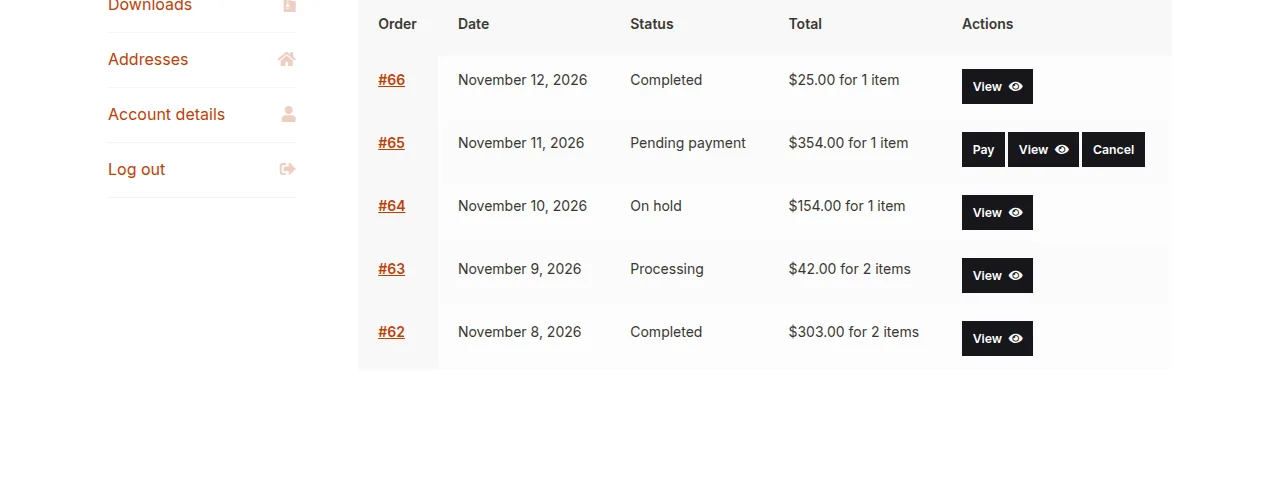
}

Hiding Multiple Statuses at Once
/** Hide both "on-hold" and a custom "fraud-review" status from My Account */
add_filter( 'woocommerce_my_account_my_orders_query', 'hide_multiple_statuses_from_my_account' );

function hide_multiple_statuses_from_my_account( $args ) {
    $statuses = wc_get_order_statuses();
    unset( $statuses['wc-on-hold'], $statuses['wc-fraud-review'] );
    $args['status'] = array_keys( $statuses );
    return $args;
}
Step 2: Confirm the Order Is Still Fully Visible to Store Staff
This filter only affects the customer-facing My Account page — the admin Orders screen shows every status regardless, so hidden orders remain fully visible and manageable on the backend.
Troubleshooting
Filter Doesn’t Apply at All
Double-check the function name is spelled correctly in both the add_filter() call and the function definition — a mismatched string (missing quotes or a typo) causes the filter to silently fail without a visible PHP error.
Hidden Orders Still Appear in Order Count/Totals Elsewhere
This filter only affects the specific query that renders the My Account orders list — other areas that separately query or count a customer’s orders (like a loyalty points calculation) may need their own equivalent status exclusion if the same hiding behavior is expected there too.
Frequently Asked Questions
Will the customer get an email for a hidden-status order?
Yes — hiding an order from My Account doesn’t affect WooCommerce’s standard order status email notifications, which are controlled separately.
Can I hide orders based on a condition other than status?
Yes — the same filter’s $args array supports other WP_Query-style parameters, so you could add a meta query or date restriction alongside the status exclusion.
Does this affect the order count shown elsewhere in My Account?
It can, depending on your theme — some themes pull a separate order count query that isn’t affected by this specific filter, so test your particular theme’s dashboard summary after applying this change.
Conclusion
Hiding specific order statuses from My Account is a single filter that keeps internal workflow statuses out of the customer’s view without affecting how staff manage those same orders on the backend. It’s a small change that can meaningfully cut down on confused support tickets. Getting this right is really what hide specific order statuses from woocommerce my account comes down to.
See also How to Hide or Rename a My Account Tab in WooCommerce. Then read How to Create a Custom Order Status in WooCommerce.
Prefer no code? All-in-One Utilities Woo Add-on adds over 50 WooCommerce features, so you can switch them on without code.