
You can make a customer tax exempt based on a checkout field value in WooCommerce by reading the submitted checkout data during the order review update and calling WC()->customer->set_is_vat_exempt() whenever a specific field — like a billing postcode or a VAT number — matches your exemption rule.
Why Apply Conditional Tax Exemption
- Zero-rate VAT for shoppers in specific postcodes or tax-exempt regions
- Automatically exempt B2B customers who enter a valid VAT/tax ID
- Avoid manually adjusting tax on orders that qualify for exemption
Step 1: Add the Conditional Exemption Snippet
/** Exempt customers from tax if their billing postcode matches a known tax-free zone */
add_action( 'woocommerce_checkout_update_order_review', 'apply_postcode_based_tax_exemption' );

function apply_postcode_based_tax_exemption( $posted_data ) {

    // Reset exemption status first, in case the field changes mid-session
    WC()->customer->set_is_vat_exempt( false );

    parse_str( $posted_data, $checkout_fields );

    $exempt_postcode = '90210';

    if ( isset( $checkout_fields['billing_postcode'] ) && $checkout_fields['billing_postcode'] === $exempt_postcode ) {
        WC()->customer->set_is_vat_exempt( true );
    }
}
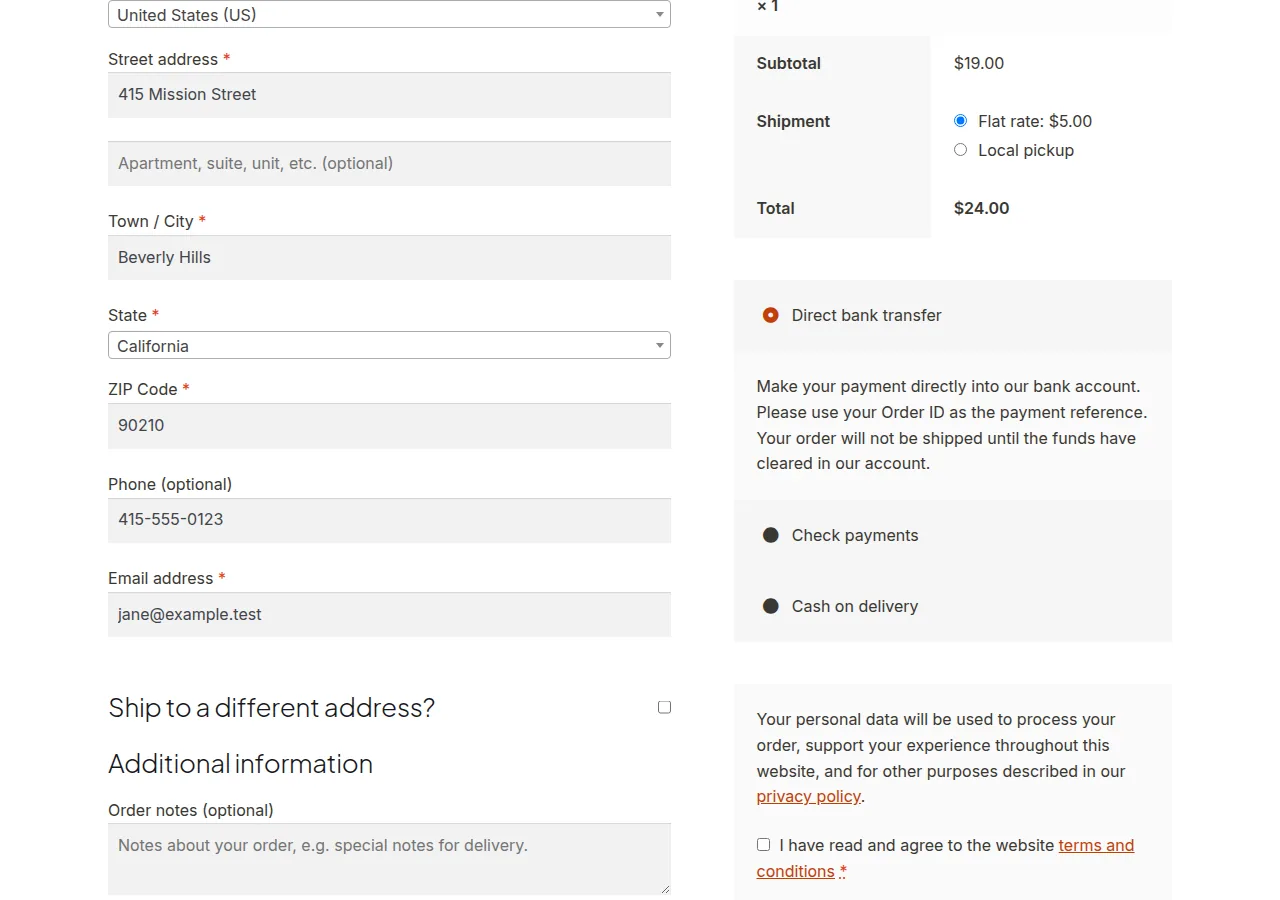
This hook fires whenever the checkout order review updates (e.g. after typing a postcode), so the exemption status recalculates live as the customer fills out the form.
Troubleshooting
Exemption Doesn’t Reset When the Field Changes
Always reset set_is_vat_exempt( false ) at the top of the function before checking the condition — otherwise once exempted, a customer stays exempt even after changing to a non-matching postcode within the same session.
Exemption Doesn’t Apply on the Final Order
This hook fires during the AJAX order review update, which recalculates the cart totals — confirm you’re testing by actually triggering a checkout field change (not just loading the page) so the hook fires at least once before order placement.
Matching Against a VAT Number Instead of a Postcode
Swap the field key to whatever your VAT number field is named (built-in or via a custom field), and consider validating its format before granting exemption rather than just checking it’s non-empty.
Frequently Asked Questions
Does this exempt the customer’s account permanently?
No — this only affects the current session/cart calculation, evaluated fresh on each checkout field update.
Can I exempt based on multiple postcodes?
Yes — check against an array of exempt postcodes with in_array() instead of a single string comparison.
Is this compliant with actual VAT regulations?
The mechanism is technically sound, but exemption rules are legally specific to your jurisdiction — verify your exemption logic against actual tax requirements, not just the code pattern.
Conclusion
Making a customer tax exempt based on a checkout field value in WooCommerce combines reading live checkout data with set_is_vat_exempt(). Always reset the exemption status first in the same function so it accurately reflects the customer’s current input, not a stale prior state.
See also How to Get EU, EU VAT, EEA, and SCA Countries in WooCommerce.
Prefer no code? All-in-One Utilities Woo Add-on handles this kind of change from a settings screen. Its Checkout fields guide also shows how.