
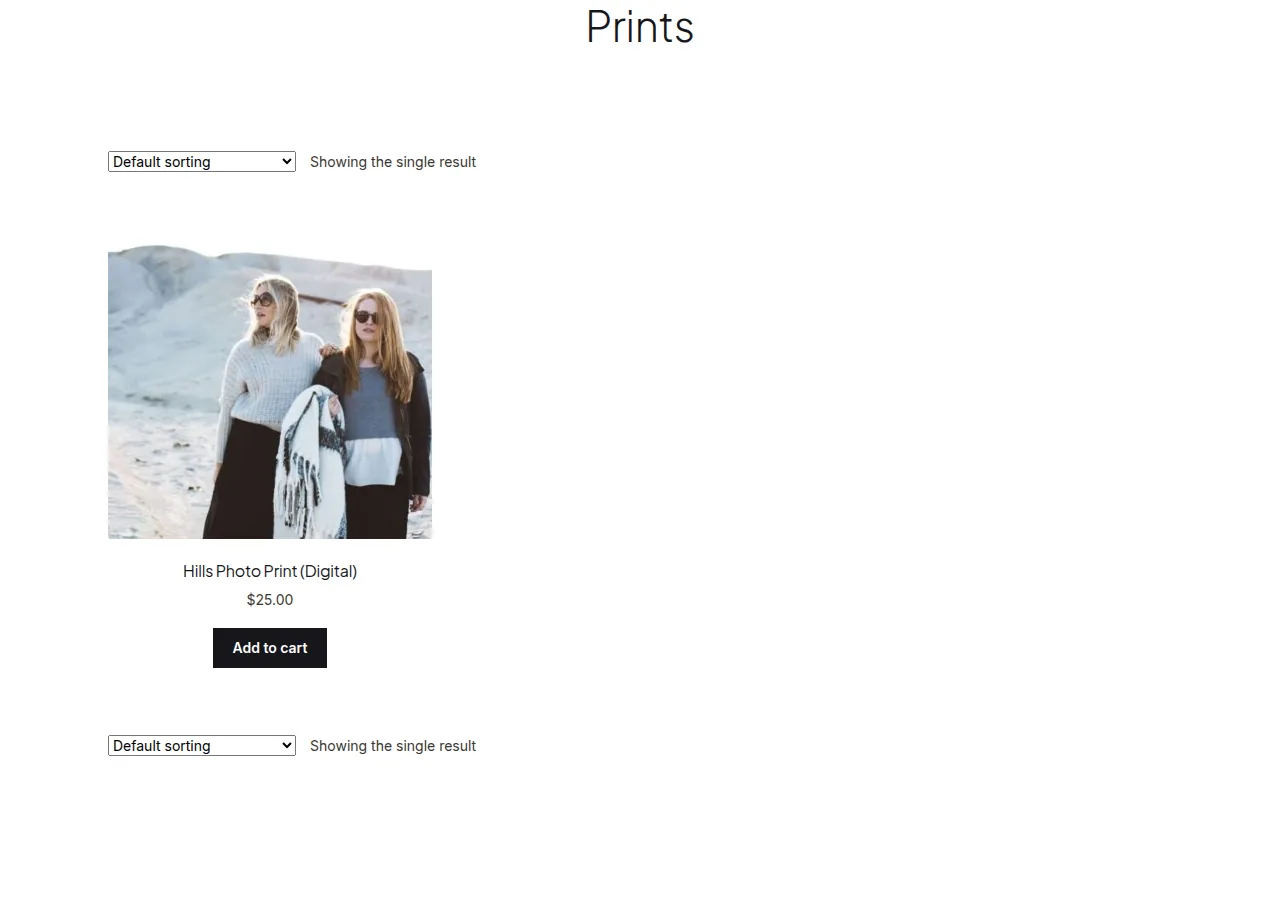
You can redirect a single-product category to its product page in WooCommerce with a short snippet checking is_product_category() for a specific category, sending visitors straight to the one product it contains instead of an unnecessary category listing.
Why Redirect a One-Product Category
- A category page showing just one product wastes a click and adds visual white space for no benefit
- Sending visitors directly to the product page shortens the path to purchase
- It’s a common situation for niche categories or new product lines that haven’t expanded yet
Step 1: Redirect a Specific Category to Its Product
/** Redirect the "tables" category directly to its single product */
add_action( 'wp', 'redirect_single_product_category_to_product' );

function redirect_single_product_category_to_product() {
    if ( is_product_category( 'tables' ) ) {
        wp_safe_redirect( get_permalink( 4821 ) ); // Replace with the actual product ID
        exit;
    }
}
Automating It for Any Category With Exactly One Product
Instead of hardcoding each category manually, detect this condition dynamically:
add_action( 'template_redirect', 'auto_redirect_single_item_categories' );

function auto_redirect_single_item_categories() {
    if ( ! is_product_category() ) return;

    $term = get_queried_object();
    if ( ! $term ) return;

    $products = get_posts( array(
        'post_type'      => 'product',
        'posts_per_page' => -1,
        'product_cat'    => $term->slug,
        'fields'         => 'ids',
    ) );

    if ( 1 === count( $products ) ) {
        wp_safe_redirect( get_permalink( $products[0] ) );
        exit;
    }
}

Troubleshooting
Category Redirects Even After Adding More Products
With the manual (hardcoded) version, the redirect stays active regardless of how many products the category later has — switch to the dynamic version if categories regularly grow past a single item.
The Dynamic Version Feels Slow on Large Catalogs
Running a product count query on every category page load adds overhead — for high-traffic sites, cache the per-category product count in a transient rather than querying it fresh on every visit.
Frequently Asked Questions
Is this good for SEO?
Generally yes for one-product categories, since it removes a near-duplicate, thin content page — just make sure any inbound links to the category page are updated or will follow the redirect cleanly.
Can I exclude specific categories from the dynamic version?
Yes, add an early return for specific category slugs you want to keep as standalone pages regardless of product count.
What happens if the category later has zero products?
The dynamic version’s count() === 1 check simply won’t match, so the category page displays normally (likely showing an empty state) rather than redirecting incorrectly.
Conclusion
Redirecting a single-product category to its product page in WooCommerce can be done with a simple hardcoded rule, or automated dynamically for categories that naturally contain just one item. Either approach removes an unnecessary extra click for the customer.
See also How to Redirect WooCommerce Product Category Pages. Then read How to Redirect a Specific Product Search to a Custom URL in WooCommerce.
Prefer no code? All-in-One Utilities Woo Add-on adds over 50 WooCommerce features, so you can switch them on without code.