
You can send newsletters to WooCommerce customers by connecting your store to an email marketing platform that syncs customer and order data automatically, letting you segment by purchase history and send newsletters without manually exporting contact lists.
Why Newsletters Matter Alongside Automated Emails
- Automated order emails only reach customers who’ve already bought — newsletters can reach your full list, including past browsers and leads
- They’re the natural channel for promoting new or under-discovered products, not just repeat purchases of what someone already bought
- Regular newsletters build a relationship beyond the transactional moment of a purchase
- They’re a channel you own directly, unlike social media reach which depends on a platform’s algorithm
Step 1: Connect WooCommerce to an Email Marketing Platform
Most major email platforms offer a WooCommerce integration that syncs customer records, order history, and purchase behavior automatically — this is what enables segmentation (like “customers who bought X but not Y”) beyond a flat, undifferentiated list.
Step 2: Build Your Subscriber List Compliantly
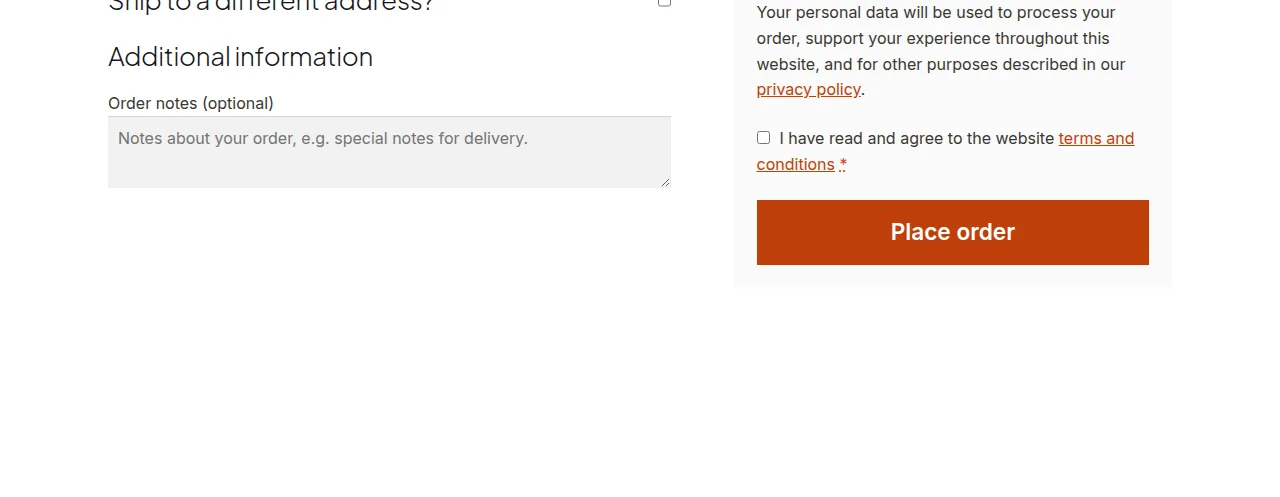
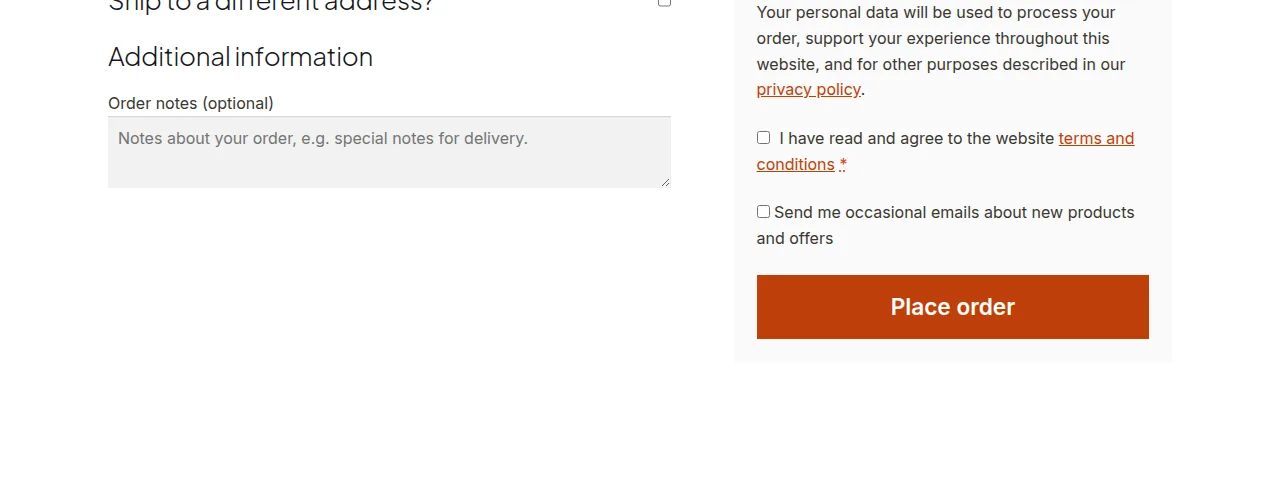
Add an opt-in checkbox at checkout (unchecked by default in most jurisdictions to comply with consent regulations) rather than auto-subscribing every customer — this keeps your list compliant and, in practice, more engaged since subscribers actively chose in.
/** Add a newsletter opt-in checkbox to checkout */
add_action( 'woocommerce_review_order_before_submit', 'show_newsletter_optin_checkbox' );

function show_newsletter_optin_checkbox() {
    echo '<p class="form-row newsletter-optin">
        <label>
            <input type="checkbox" name="newsletter_optin" id="newsletter_optin">
            Send me occasional emails about new products and offers
        </label>
    </p>';
}

add_action( 'woocommerce_checkout_update_order_meta', 'save_newsletter_optin_choice' );

function save_newsletter_optin_choice( $order_id ) {
    if ( isset( $_POST['newsletter_optin'] ) ) {
        update_post_meta( $order_id, '_newsletter_optin', 'yes' );
    }
}
Step 3: Segment by Purchase Behavior
Rather than blasting every subscriber the same content, segment by categories purchased, order recency, or total spend — a newsletter promoting accessories is far more relevant to someone who bought the main product than to your entire list.
Step 4: Track What Actually Drives Return Visits
Monitor open rates, click-through rates, and — most importantly — actual return purchases attributed to newsletter campaigns, adjusting frequency and content based on what genuinely re-engages customers rather than what simply gets sent.
Troubleshooting
Customer Data Doesn’t Sync to the Email Platform
Check the integration’s connection status and API credentials first — a broken or expired connection is the most common reason customer data stops flowing to the email platform.
Newsletter Open Rates Are Low
This often points to list quality (unengaged subscribers accumulated over time) or subject line/timing issues rather than a technical problem — consider periodically re-permissioning or removing long-unengaged subscribers to protect deliverability.
Frequently Asked Questions
Should the newsletter opt-in be checked by default at checkout?
In many jurisdictions, no — consent regulations often require an unchecked, explicit opt-in rather than a pre-checked box, so check your local requirements before defaulting it to checked.
How often should I send newsletters to WooCommerce customers?
There’s no universal answer — start with a modest, consistent cadence (like biweekly or monthly) and adjust based on actual engagement data rather than sending as often as possible.
Can I automate newsletters based on customer behavior?
Yes — most email platforms support behavior-triggered sends (like a re-engagement email after 60 days of inactivity) layered on top of regular scheduled newsletters.
Conclusion
Sending effective newsletters to WooCommerce customers depends on a proper data sync to your email platform, a compliant opt-in process, and segmentation based on real purchase behavior — a generic blast to your full list rarely performs as well as targeted, relevant content.
See also How to Send a Custom Email on Order Status Change. Then read How to Send a Scheduled Email Digest in WooCommerce With a Cron Job.
Prefer no code? All-in-One Utilities Woo Add-on adds over 50 WooCommerce features, so you can switch them on without code.