You can set up wholesale pricing in WooCommerce by assigning a dedicated wholesale user role and adjusting displayed prices for that role with a pricing filter, or by using a dedicated wholesale plugin if you need tiered quantity discounts, minimum orders, or a separate registration flow.
Why Wholesale Needs More Than Default WooCommerce
- Core WooCommerce has one price per product and no built-in concept of a “wholesale” customer
- B2B buyers usually expect tiered discounts, tax-exempt pricing, and minimum order quantities
- Retail and wholesale customers often need different payment and shipping options entirely
Step 1: Create a Wholesale User Role
Cloning the default “customer” role and renaming it gives you a role you can safely check against in pricing logic, without affecting regular retail accounts.
Step 2: Adjust the Price Shown to That Role
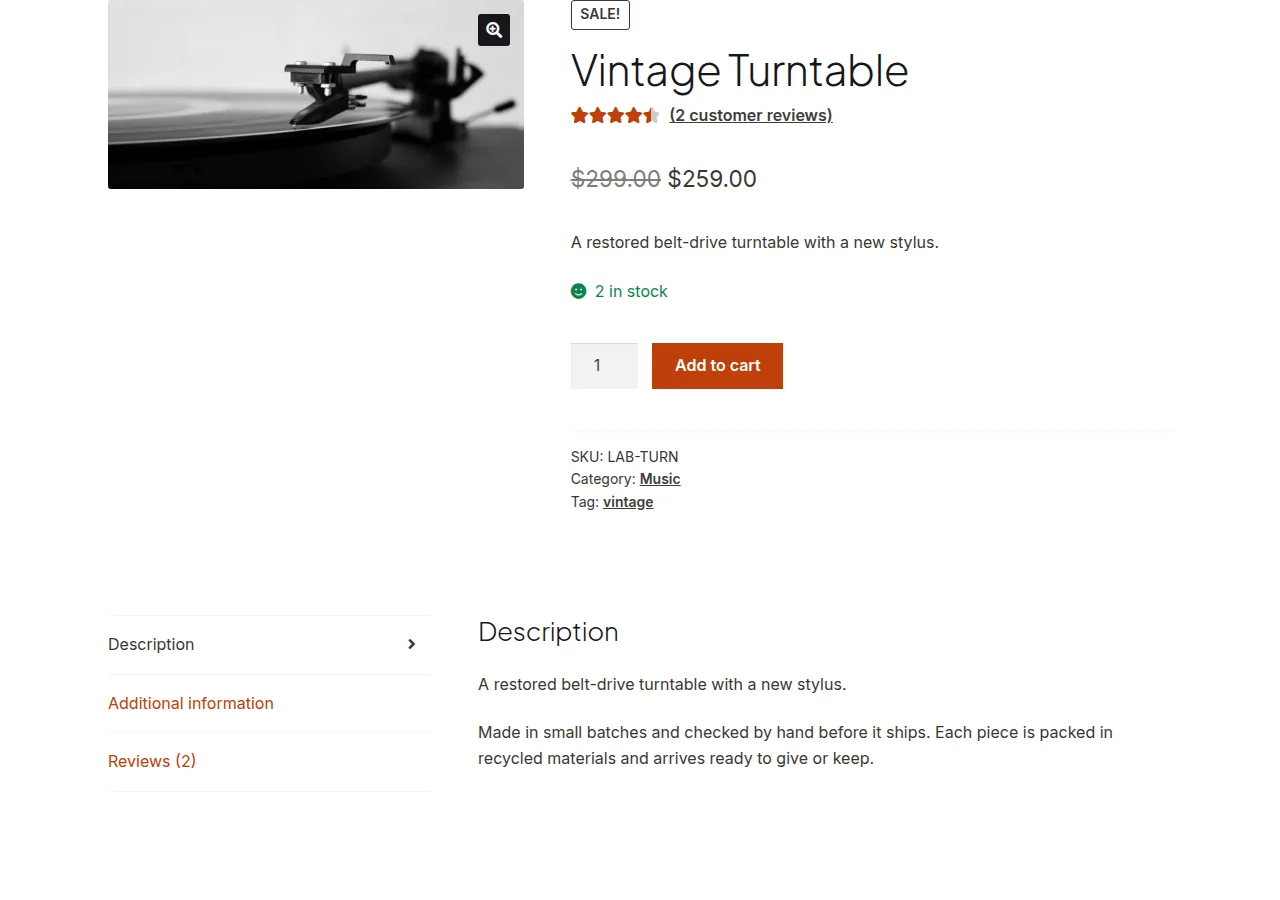
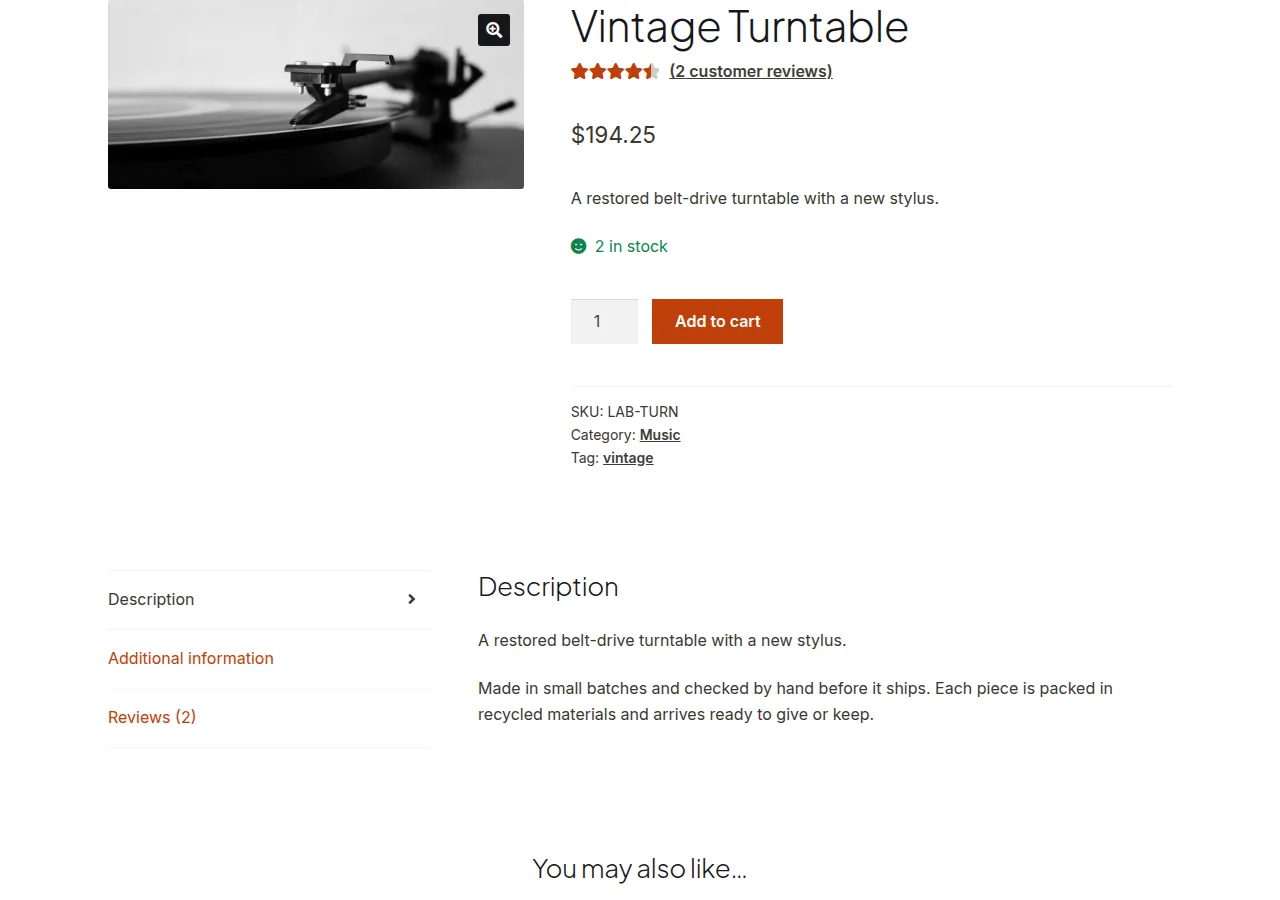
This snippet applies a flat percentage discount to every product’s displayed price for shoppers logged in with the wholesale role, leaving retail pricing untouched.
/** Apply a 25% wholesale discount to all products for the "wholesale_buyer" role */
add_filter( 'woocommerce_product_get_price', 'apply_wholesale_role_discount', 10, 2 );
add_filter( 'woocommerce_product_get_regular_price', 'apply_wholesale_role_discount', 10, 2 );

function apply_wholesale_role_discount( $price, $product ) {

    if ( is_user_logged_in() && current_user_can( 'wholesale_buyer' ) ) {
        $price = (float) $price * 0.75;
    }

    return $price;
}
Step 3: Consider a Dedicated Plugin for Complex Rules
Once you need tiered pricing by quantity, per-category discounts, minimum order values, or a business registration form, a purpose-built wholesale plugin will save far more development time than extending the snippet above with more conditions.
Troubleshooting
Wholesale price doesn’t apply to variations
Variable products store prices separately per variation — you’ll need the same filter applied against WC_Product_Variation pricing, or a plugin that already handles variations out of the box.
Discounted price shows in search engines or cached pages
Since the filter checks the logged-in role, a full-page cache serving the same HTML to logged-out visitors and search engines could accidentally expose or hide the wrong price — exclude cart/pricing-sensitive pages from full-page caching for logged-in roles.
Frequently Asked Questions
Can I offer different wholesale prices per product instead of a flat percentage?
Yes, store a custom “wholesale price” meta field per product and return that value from the filter instead of calculating a percentage.
Do wholesale customers need a separate registration process?
It’s common practice — many stores gate the wholesale role behind an approval form so retail shoppers can’t self-assign wholesale pricing.
Will a wholesale plugin slow down my site?
A single well-built plugin handling wholesale logic is usually lighter than stacking several smaller plugins to cover the same features, so consolidating tends to help performance.
Conclusion
A custom role plus a pricing filter is enough to set up wholesale pricing in WooCommerce for simple flat discounts; move to a dedicated plugin once you need tiered quantity pricing, minimum orders, or a business registration workflow.
See also How to Set Different Prices Based on User Role in WooCommerce. Then read How to Display FREE Instead of $0.00 for WooCommerce Product Prices.
Prefer no code? All-in-One Utilities Woo Add-on adds over 50 WooCommerce features, so you can switch them on without code.