
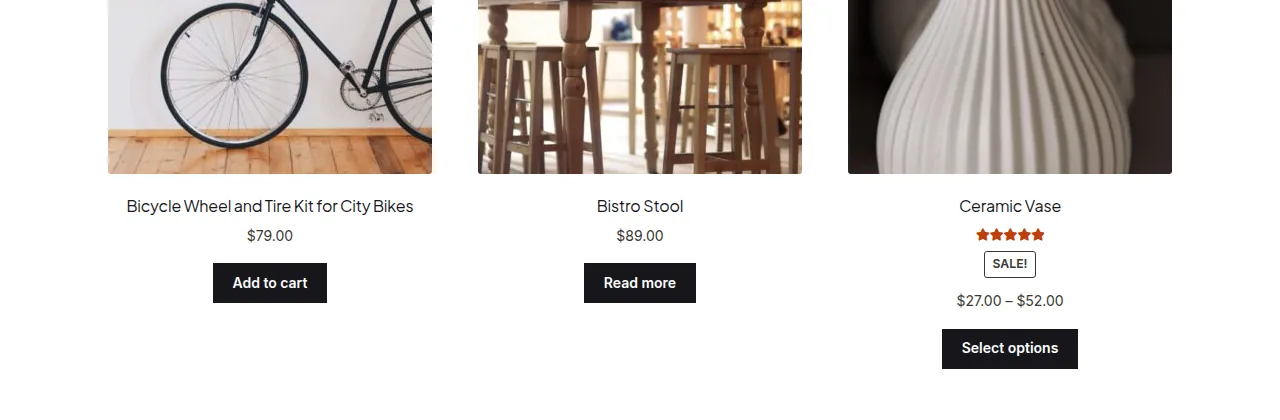
To shorten product titles on the WooCommerce shop page, either truncate them visually with a CSS ellipsis rule, or cap them at a fixed word count in PHP using wp_trim_words() on the the_title filter — the PHP method is more reliable since it avoids cutting off mid-word.
Why Shorten Long Product Titles
- Long titles wrap onto multiple lines and break vertical alignment across the product grid
- Affiliate or dropshipping stores often import verbose supplier titles that need trimming
- A consistent title length gives the shop page a cleaner, more uniform look
Option 1: CSS-Only Truncation
If you just want a visual single-line ellipsis without touching the underlying title text (useful for SEO, since the full title tag remains intact for search engines), add this to your theme’s CSS:
.woocommerce ul.products li.product h3 {
    overflow: hidden;
    text-overflow: ellipsis;
    white-space: nowrap;
}
Option 2: Truncate by Word Count in PHP
For an actual shortened title (not just visual truncation), filter the_title and limit it with wp_trim_words(), which cuts cleanly at word boundaries and adds an ellipsis automatically:
/** Limit product titles to 4 words on the shop page — add to functions.php */
add_filter( 'the_title', 'trim_shop_loop_title', 9999, 2 );

function trim_shop_loop_title( $title, $post_id ) {

    if ( is_shop() && 'product' === get_post_type( $post_id ) ) {
        return wp_trim_words( $title, 4 );
    }

    return $title;
}
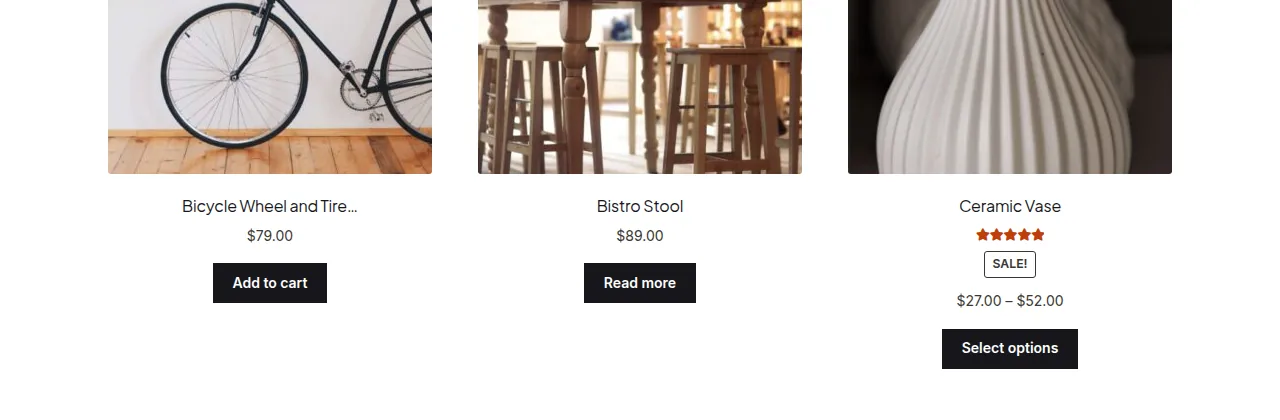
Why Not Just Use substr()?
Cutting a string with substr( $title, 0, 20 ) counts raw characters, which often slices a word (or even a multi-byte UTF-8 character) in half — wp_trim_words() avoids that by counting whole words instead.
Troubleshooting
The Single Product Page Title Also Got Shortened
The the_title filter is global, so it’s essential to guard it with is_shop() (and is_product_category()/is_product_tag() if you want the same behavior on category and tag archives) — otherwise it will also truncate the H1 on individual product pages and even admin screens.
Titles Don’t Shorten in the Recently Viewed or Related Products Widgets
Those widgets don’t always run inside the is_shop() context, so the conditional check above may exclude them. Add the specific widget context check (or simply remove the conditional if you want it applied everywhere titles are shown) to extend coverage.
Frequently Asked Questions
Does shortening titles hurt SEO?
The CSS method has no SEO impact since the full title remains in the HTML. The PHP method changes the visible/rendered title, so it’s worth keeping the full title intact in the page’s <title> tag and meta data even if the on-page loop title is trimmed.
Can I shorten by character count instead of words?
Yes, using substr() as shown in the “why not” section above, though word-count trimming generally looks cleaner and avoids awkward cutoffs.
Will this affect product titles in search results on my site?
Only if your search results template also calls the_title without excluding it — add is_search() to the conditional if you want the same trimming applied there too.
Conclusion
Whether you shorten product titles on the WooCommerce shop page with pure CSS or a PHP word-count filter depends on whether you need a purely visual fix or an actual shortened title. For most stores, wp_trim_words() scoped to the shop page strikes the best balance of clean output and SEO safety.
See also How to Hide the Shop Page Title in WooCommerce. Then read How to Hide Products on the WooCommerce Shop Page.
Prefer no code? All-in-One Utilities Woo Add-on adds over 50 WooCommerce features, so you can switch them on without code.