You can add a product enquiry form to the WooCommerce single product page by placing a toggle button near the Add to Cart form that reveals a Contact Form 7 form pre-filled with the product name, letting shoppers ask a question without leaving the page. This is popular for B2B, custom-made, or high-consideration products.
Why Add an Enquiry Form on the Product Page
- Capture leads for products that need a conversation before purchase (custom orders, bulk pricing, installation)
- Reduce lost sales from shoppers who have a question but won’t email support separately
- Auto-tag which product the enquiry relates to, saving back-and-forth
Step 1: Build the Toggle Button and Hidden Form
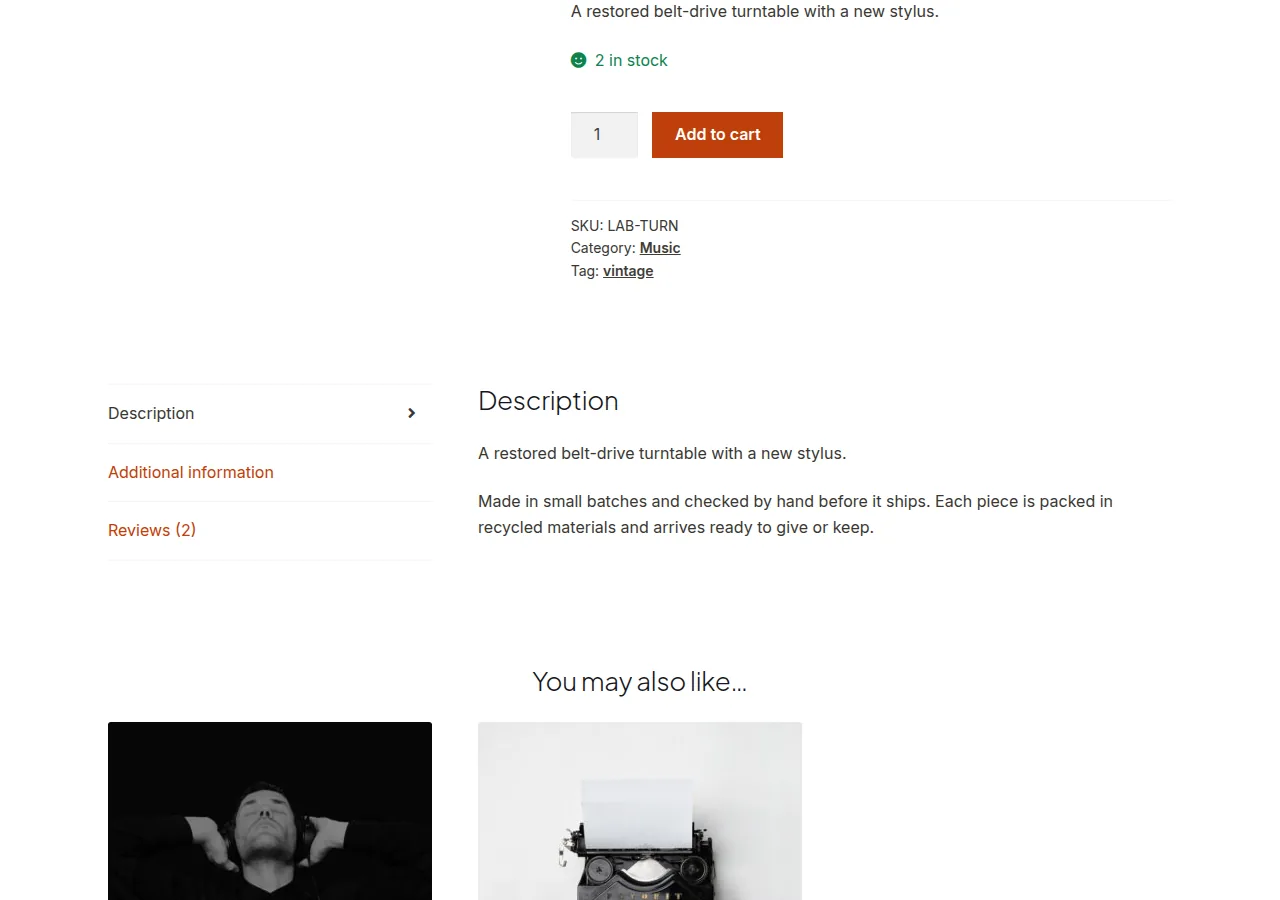
This snippet adds a button beside Add to Cart that reveals a Contact Form 7 shortcode and auto-fills the subject field with the current product’s title.
/** Show a toggleable product enquiry form below the Add to Cart button */
add_action( 'woocommerce_after_add_to_cart_form', 'render_product_enquiry_toggle', 25 );

function render_product_enquiry_toggle() {
    echo '<button type="button" id="enquiry_toggle" class="single_add_to_cart_button button alt">Ask About This Product</button>';
    echo '<div id="enquiry_form_wrap" style="display:none">';
    echo do_shortcode( '[contact-form-7 id="482" title="Product Enquiry"]' );
    echo '</div>';

    wc_enqueue_js( "
        $('#enquiry_toggle').on('click', function(){
            if ( $(this).text() === 'Ask About This Product' ) {
                $('#enquiry_form_wrap').slideDown();
                $('input[name=\"your-subject\"]').val('" . esc_js( get_the_title() ) . "');
                $(this).text('Hide Enquiry Form');
            } else {
                $('#enquiry_form_wrap').slideUp();
                $(this).text('Ask About This Product');
            }
        });
    " );
}
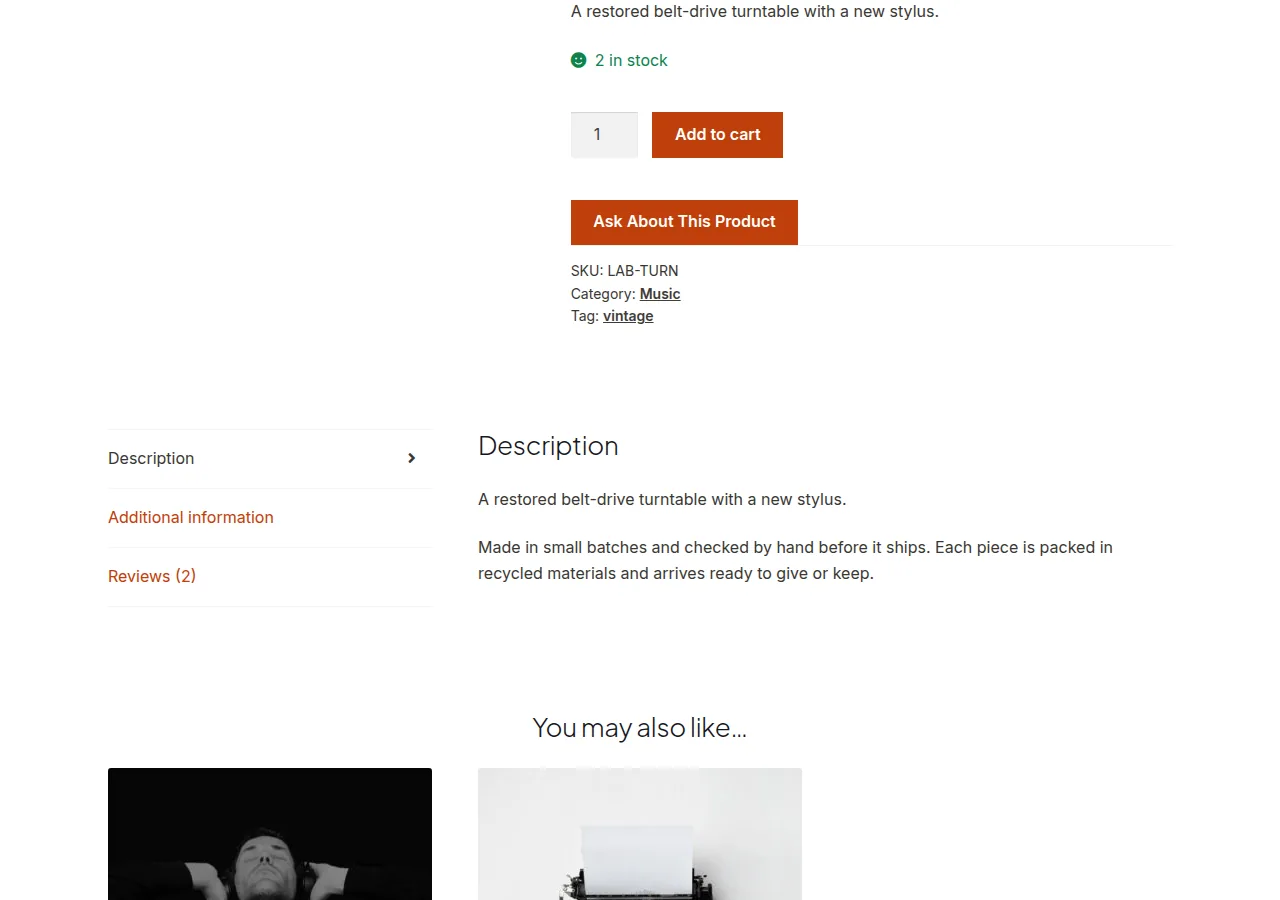
Replace the Contact Form 7 shortcode ID with your actual enquiry form’s ID, and make sure that form includes a hidden or visible “your-subject” field.
Troubleshooting
Form Doesn’t Appear at All
Confirm Contact Form 7 is active and the shortcode ID matches an existing form — a wrong ID renders nothing with no visible error.
Subject Field Doesn’t Auto-Fill
Check that your CF7 form actually has a field named exactly your-subject — the jQuery selector depends on that exact field name matching.
Button Text Never Toggles Back
Make sure no other script on the page is also binding a click handler to the same button ID, which can cause the toggle logic to fire twice and appear stuck.
Frequently Asked Questions
Do I need Contact Form 7 specifically?
No — swap the shortcode for any form plugin’s shortcode, as long as it supports pre-filling a field via a matching input name.
Can I show the enquiry form permanently instead of toggling it?
Yes — remove the jQuery toggle and just echo the shortcode directly if you’d rather have it always visible.
Is there a plugin alternative to building this myself?
Yes, several “request a quote” or “ask a question” plugins offer this out of the box if you’d rather not maintain custom code.
Conclusion
Adding a product enquiry form to the WooCommerce single product page combines a toggle button with a form plugin shortcode and a small script to pre-fill the subject. It’s a lightweight way to capture pre-sale questions directly where shoppers are already browsing.
See also WooCommerce Single Product Page Hooks: A Visual Guide. Then read How to Hide Related Products on the Single Product Page in WooCommerce.
Prefer no code? All-in-One Utilities Woo Add-on adds over 50 WooCommerce features, so you can switch them on without code.